

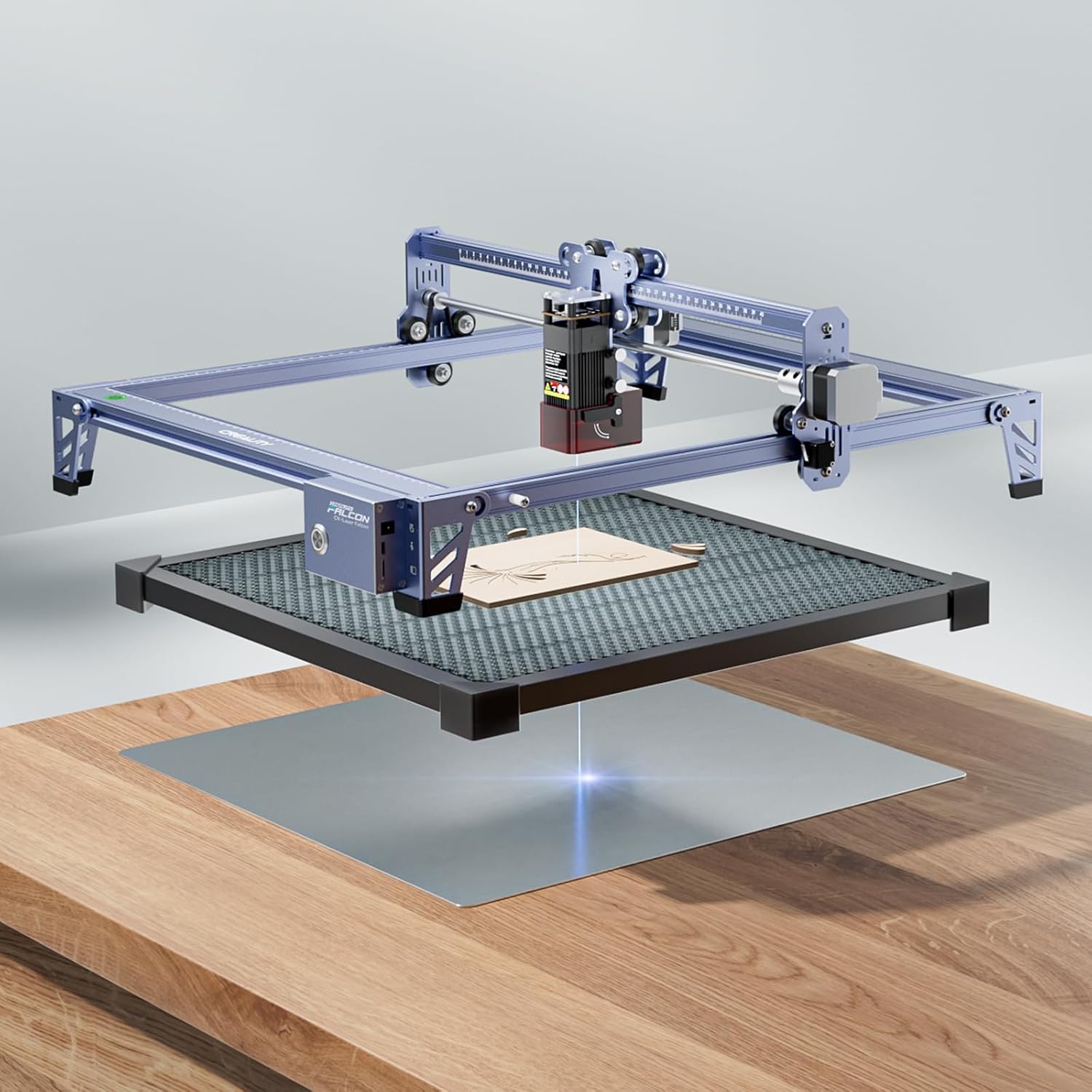
Creality Falcon 10W Laser Engraver, with Honeycomb Laser Bed 500x500mm, 10000mm/min, 72000mW High-Precision Laser Cutter for Wood, Acrylic, Pre-Installation and Out-of-The-Box
$249.00
Related Products





From the brand

Creality Falcon A1 Series
High Precision, More Efficiency, Easy Operation
Many Buyer Choosed
High Quality Laser Engraver
Laser Engraver Accessories
3D Printer Accessories
High-speed 3D Printer
3D Resin Printer
3D Printer Filament

Creality 3D Technology Co., Ltd. focuses on the design, research, production of 3D printers and 3D printing related products. Consisting of professional researchers and skilled engineers, our R&D team constantly strives for creative function and excellent user experience.
The R&D investments on 3d printing cover FDM/resin 3D printers, 3D scanners, filaments, resin, as well as 3D printed drones and robots that back up STEAM education.

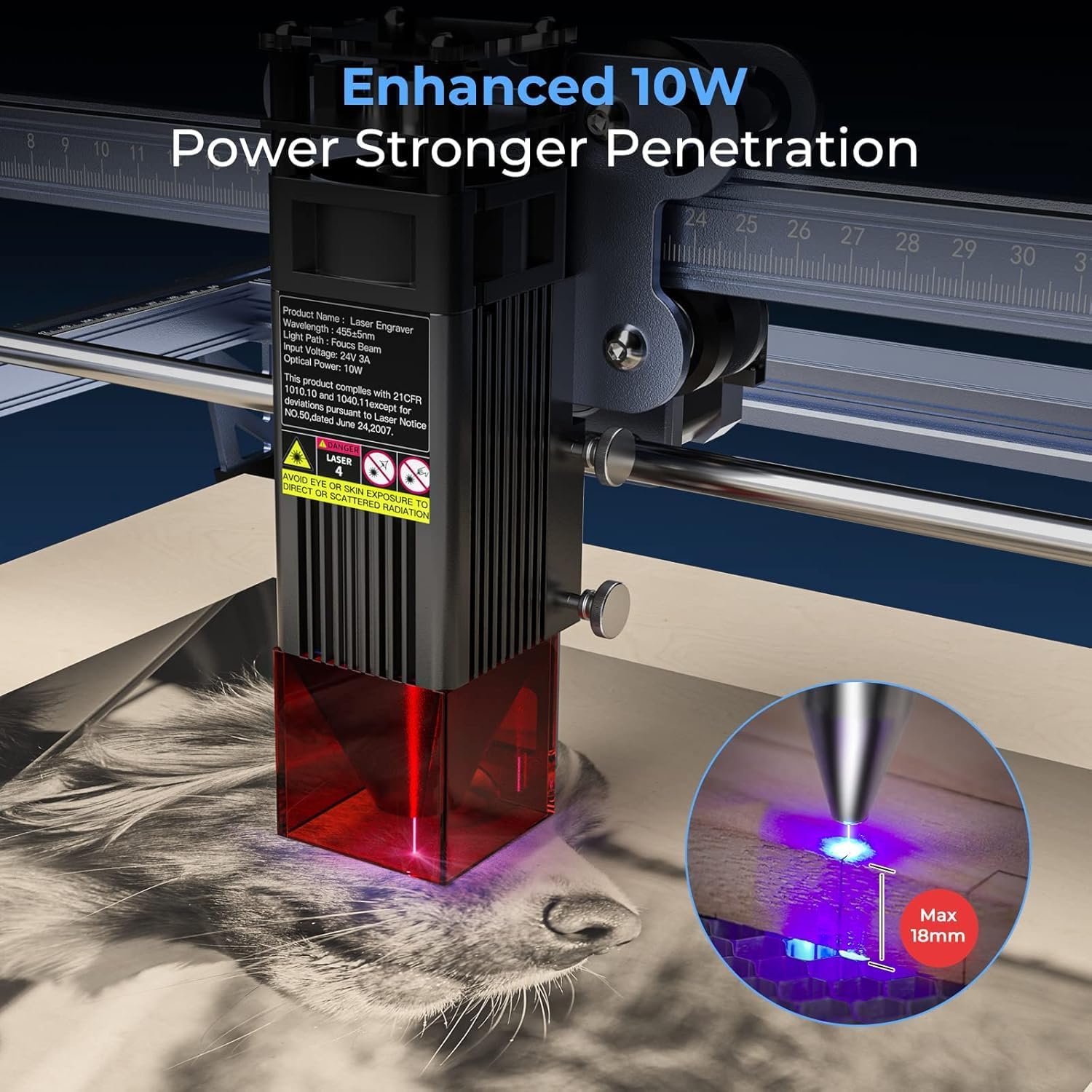
SPEEDY POWERFUL 10W OUTPUT – Creality Class Ⅲa laser engraver machine has 72000mW machine power and 10W output power. It can cut a 5mm basswood board or 3mm black acrylic in ONE PASS, at a speed up to 10000mm/m. Works perfectly together with engraver on cutting paper, wood, leather, plastic, dark acrylic, engraving on most consumables such as metal, glass and more
PRE-INSTALLATION and OUT-of-The-BOX – Tt ideal for both beginners and experienced users looking for an immediate start to their engraving projectsQuick and easy to assemble, the creality engraving machine is ready to use within 5-10 minutes
COME with HONEYCOMB WORKING PANEL- This honeycomb laser bed supports a maximum work area of 500 * 500mm, allowing you to easily unleash your creativity
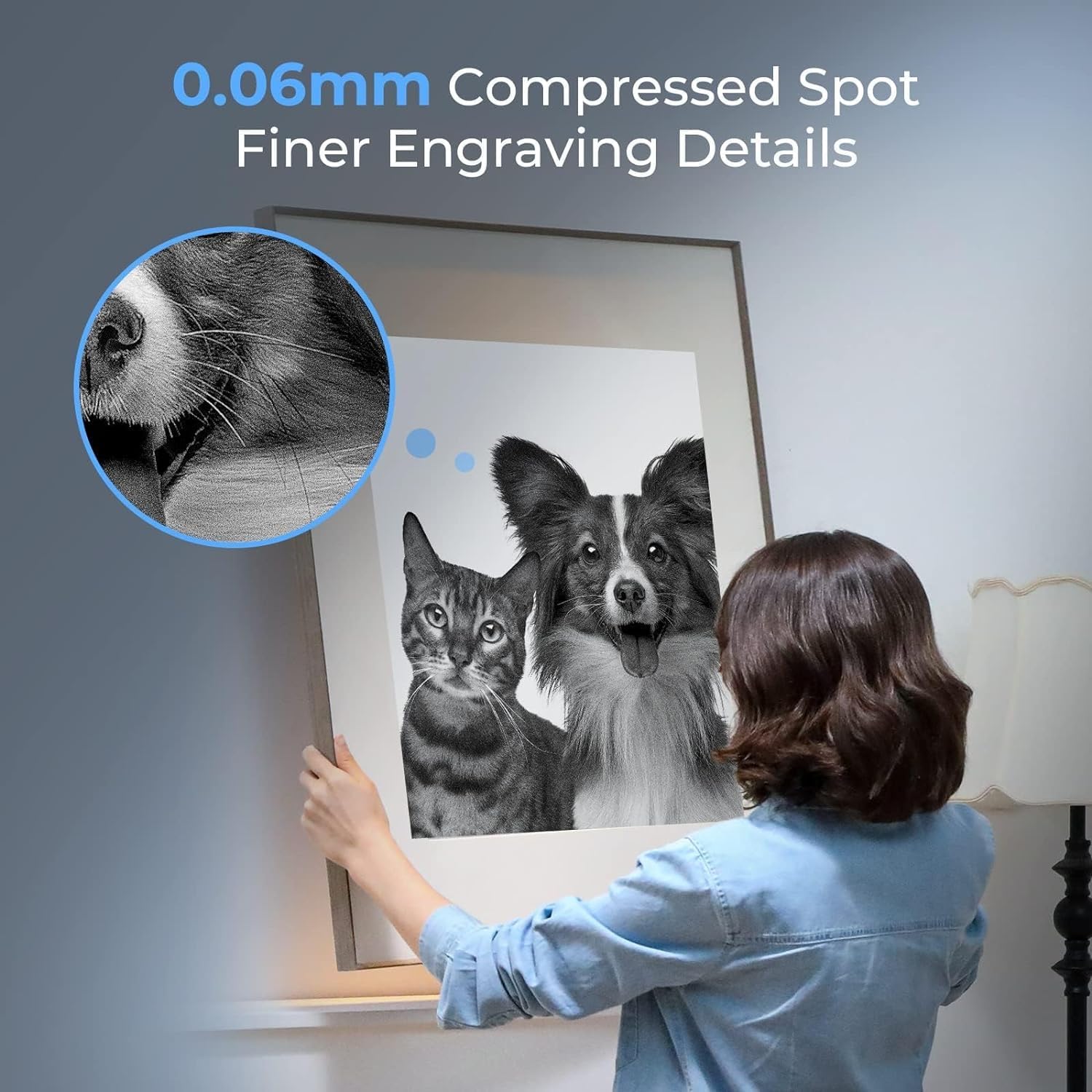
ENGRAVING & CUTTING MASTER – With all aluminum alloy made structure and steel shaft wheel guide rail design, Creality laser printer engraver is also equipped with strong belt tension adjustment device and 0.06*0.06mm super fine spot focus, enable engraving/cutting accuracy precisely controlled within 0.004 inches,repositioning accuracy less than 0.007 inches
EASY TO OPERATE – Creality laser engraver can be compatible with various mature engraving software, LightBurn for experirenced laser user and LaserGRBL for new laser user. LaserGRBL Support Win 7 / Win 8/ Win 10/Win XP,LightBurn supports window /Mac /Linux system.And you can transfer data via Wi-Fi, USB cable, and SD card and use Creality laser cutter and engraver machine anytime and anywhere.One-button management make it so easy for you to use anywhere and anytime
6 reviews for Creality Falcon 10W Laser Engraver, with Honeycomb Laser Bed 500x500mm, 10000mm/min, 72000mW High-Precision Laser Cutter for Wood, Acrylic, Pre-Installation and Out-of-The-Box
Add a review

$249.00
ezsurfer –
Great value. Needs Enclosure and Air Supply for full use.
Overall, a nice product once you get it to work, which is simply a download away. Go to Creality.com and find the download for Falcon Design Space software. In the software, this machine is a CR – Falcon 10w Laser. This allowed for a proper setup, and all of my initial issues and frustrations went away. The seller has been super communicative and really worked to make my sale great!The laser is awesome – Performance when finally set up is a 5-star event. To obtain this, you must have the enclosure (Makes the area smell like burnt wood during and for a while after cutting.) and the air supply fan to make excellent cuts. This model DOES NOT support the auto on-off from the control unit, which is a big miss, at least in my opinion. I bought the air supply unit to plug into the unit, but I guess it only supports the pro model, mine has no connection for this.Pros: Excellent performance once properly set up with Falcon Design SoftwareGreat value to workspace providedDoes come with the required honeycomb bed and the Aluminum protection Sheet under the homeycomb bed.Seller is communicating well and customer satisfaction focused.Cons:Very difficult to determine software needed to run unit efficiently. Zero website support by model number. Get the Falcon Design Software. My wife, loves the fact she can design in her favorite software, and execute the file in FDSNot really useable without Enclosure (Can not perform cutting functions safely)Not really useable without Air Supply pump (Can not perform cutting functions safely)Air Supply and Enclosure Vent fans are NOT able to be turned on and off with the main unit.Overall – A very good choice with the needed extra enclosure and air supply. Very accurate cutting and engraving after a good setup is obtained. I will definitely be shopping at CReality when I am ready to upgrade!
Kamau –
Fast and reliable, does a great job
I had thought of giving the Creality Falcon 2 four stars. This is because I couldn’t get it to work with my mac and I had to purchase a pc, an additional cost. Mine did not come with a honeycomb bed, which I had to buy separately. But this is no big deal as other brands I know of do not offer this either. And I had previously bought two different brands and got disappointed.I love that the machine framework comes pre-assembled. And it comes with an air an air assist. One headachy thing out of the way right off the bat. The instructions for installing the software can be a little challenging. But once you get this down you’re good to go. The work I’m getting is nothing short of awesome. This is what really matters. This is why I gave it full five stars.Couple Things to Keep in Mind:- The flash drive that comes micro memory card reader you need to connect the machine to the software (I use Lightburn) may be outdated and therefore not work on your computer. This was very frustrating for me. You may have to buy a new USB memory card flash drive (3.0+).- It kept stopping in the middle of a larger job. Wasted precious material in the process. The “help” page was no help. I resolved this by setting my computer sleep option to “Never”.Still, a very good machine.
Cody Payne –
Great quality machine
I absolutely love this laser. It is the first laser I have bought and used and it has been pretty simple so far. The instructions aren’t fully clear so pay attention to putting it together. There is a pin for the limit switch that goes on the controller side. I put it together backwards and had to take apart and reassemble. So far, I have engraved several items without issue. It has been accurate with everything I have done so far. I will be upgrading to a model that has a camera assist for easier aligning. Not an issue, just takes longer to get everything lined up. This machine is built very well and I can see using it for a while. It was larger than what I expected so it’s nice being able to do bigger items. All in all, I would recommend!
Runneral51 –
Great machine for engraving and cutting.
The machine is well packed to prevent damage. The paper instruction should reference the video, it is much clearer on how to assemble. Be sure to watch the video before trying to assemble.Instructions say to insert the memory card and it will engrave or cut a project on the card, that never worked for me. I did report it to the vendor and they promptly sent me a new control card, not installed yet. This will allow me to build files at my PC in my home and engrave in my shop,LaserGRBL is not available for Android, so you can’t run it from your phone or tablet. You must have a computer. I resurrected an old HP XPS (Windows XP) that I converted to Ubuntu 24.04. If it is a large say (300 mm X 300 mm) image, it takes forever to process the image. The processor in the computer is way to slow. Fortunately I have a much faster desktop PC that I substituted temporarily. I put 13 plus laser hours getting my first project done. Throughout the whole process, the laser and the software worked flawlessly. It is the software learning curve that required a lot of trial and error. There was a stencil that I cut. Tigger was the easy one. The girls image required learning how to use the software proficiently to get the desired results. It’s not perfect, but the best I could do at this time. There are a lot of setting to making large images, some have to be done on the fly.Overall, it is a great machine, I gave it 4 stars instead of five only because of the control card and the time wasted trying to figure out whether it was me or the machine. Once I installed the software, it was working as expected.Lastly, buy a complete unit, that is, the laser, honeycomb, and air assist to get the best results.
Susan Brinkhurst –
I should have bought the built in air assist. You NEED air assist and adding it after the fact is really difficult. It’s kind of crazy that they’ll sell it to you without air assist or a work surface, which you also need. Setting up the work surface separately also sucks because you can’t easily line them up, but that isn’t as important if you don’t mind wasting some material.However! It does cut craft wood like basswood really well and buying a laser cutter in general was worth it, I just wish I’d gone up a price point to the nicer model
Lee Bridger –
Couldn’t get the engraver to connect with my computer. Laser worked on offline samples but would not connect after several hours with Creality Support trying to diagnose the problem thru chat. Followed every step and still not working. Creality sending out a new motherboard hopefully that fixes the problem… if not it will be returned. Will update when part arrives…