

Carvera Air Desktop CNC Machine with 4th Axis, Compact Enclosed Mini CNC Router, Quick Tool Changer, Closed-Loop Control, Beginner-Friendly CAM Software for Milling, Cutting, Engraving, DIY, Crafts
$229.99
Related Products







Product description
The video showcases the product in use.The video guides you through product setup.The video compares multiple products.The video shows the product being unpacked. Carvera Air TVC cut Merchant Video
 Capabitities Never Seen in Its Class
  Industrial Grade Precision for CNC Milling
  Trusted by Industry Leading Media Worldwide
1 Rich Functionality
2 High Precision
3 Industry Recognition


1 Makera Controller
2 Self-developed CAM
3 Redeem CAM Access
4 Other CAM Supported


1 Complex Components 2 Acrylic Engraving 3 PCB Fabrication 4 Metal Milling 5 Rotary Machining
SHOWCASE:Shape Your Memories Chess with 4th Axis
The video showcases the product in use.The video guides you through product setup.The video compares multiple products.The video shows the product being unpacked. 4 axis TVC Merchant Video
SHOWCASE:Craft Your Art Fire Lacquer Stamp
The video showcases the product in use.The video guides you through product setup.The video compares multiple products.The video shows the product being unpacked. Art Tamp 1 Merchant Video
SHOWCASE:DIY Your Electronics Game Consoles and PCB
The video showcases the product in use.The video guides you through product setup.The video compares multiple products.The video shows the product being unpacked. game Air TVC Merchant Video
SHOWCASE:Level Up Your Hobby RC Car Accessories
The video showcases the product in use.The video guides you through product setup.The video compares multiple products.The video shows the product being unpacked. RC car TVC Merchant Video

Standard Technical Specifications of Carvera Air Desktop CNC
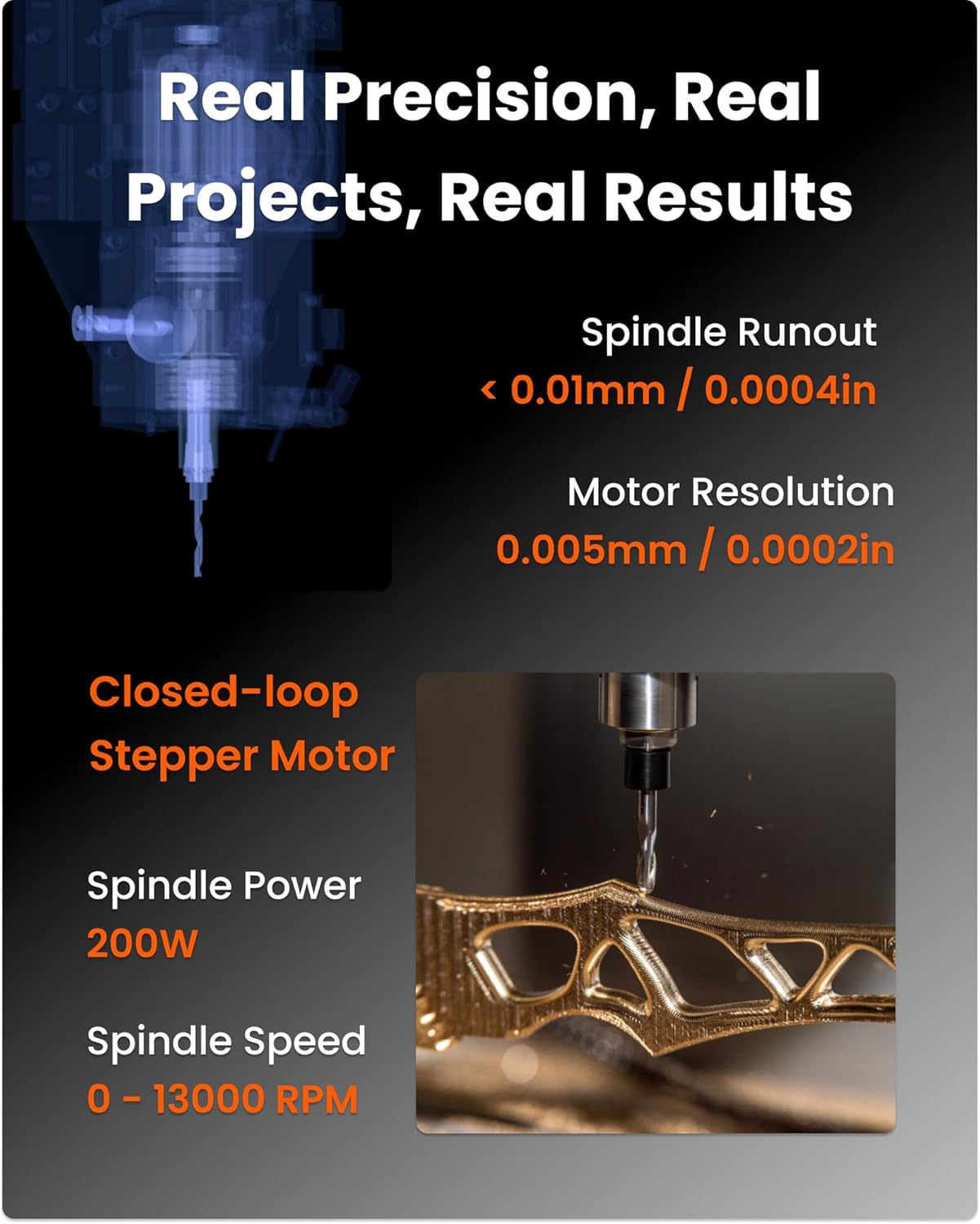
Work area(3 axis) 30cm(X)*20cm(Y)*13cm(Z)/11.8in*7.9in*5.1in Work area(4 axis) 9.2cm(Diameter) * 20cm(Length)/ 3.6in * 7.9in Footprint 50cm(Width) * 45cm(Depth) * 45cm(Height)/19.7in * 17.7in * 17.7in Gantry clearance 12cm / 4.7in Spindle Power 200W Spindle Collet Custom collet with ⅛in integrated (optional: ¼in, 6mm, 4mm). Spindle Speed 0 – 13000 RPM with closed-loop control Spindle runout < 0.01mm / 0.0004in Motor resolution 0.005mm / 0.0002in Optional Laser Power 5W(445nm semiconductor diode laser) Software-Controller Dedicated software supports CARVERA functions Controller OS iOS, Andriod, Mac OS, Windows, Linux, etc. Controller connectivity iOS, Andriod, Mac OS, Windows, Linux, etc. Software-CAM Makera CAM CAM OS Mac OS, Windows Compatible CAD /CAM software Fusion360, SolidWorks, AutoCad, VCarve Pro, Aspire, Illustrator, etc.
【Smart and Affordable :A Hobbyist’s Dream Desktop CNC Machine】Carvera Air, a precise and versatile desktop CNC mill. Perfect for milling, carving, and engraving. Easy to use with our user-friendly software. Endless Materials | Quick Tool Changer | Auto Probing and Leveling | Optional 4th Axis and Laser supported | All-in-one CAM Software
【One More Axis, Infinite Possibilities】The 4th axis module expands your capabilities, enabling cylindrical machining, double-sided objects, and 3D shapes. With a rotary work area of 3.6″ diameter x 7.9″ length (9.2cm x 20cm), Carvera Air supports true 4th-axis simultaneous machining, perfect for crafting detailed 3D models.
【Quick Tool Changes for Complex Projects】Speed up your workflow with the quick tool changer, switching tools in just 10 seconds. Whether you’re milling wood, plastics, or metals, transitions between tools are seamless, making it ideal for advanced multi-step projects.
【Precision Meets Automation】With auto-probing and leveling, Carvera Air ensures precise calibration and flawless cuts on uneven materials. The closed-loop spindle control (0–13,000 RPM) and spindle runout <0.01mm guarantee exceptional accuracy and surface quality, even for high-complexity machining.
【Smart Control with Cross-Platform Software】Operate your CNC effortlessly with WiFi or USB connectivity. The intuitive Makera CAM software supports Mac OS, Windows; The Controller supports iOS, Android, Mac OS, Windows, and Linux, and integrates with popular CAD/CAM tools such as Fusion360, SolidWorks, and VCarve Pro.
Scope of delivery: Carvera Air desktop CNC machine 4th axis version * 1, Accessory kit * 1, Tool kit * 1, Material kit * 1, User Guides*1 set
8 reviews for Carvera Air Desktop CNC Machine with 4th Axis, Compact Enclosed Mini CNC Router, Quick Tool Changer, Closed-Loop Control, Beginner-Friendly CAM Software for Milling, Cutting, Engraving, DIY, Crafts
Add a review

$229.99
A.P. –
Carvera Air
I took a bit before writing this to make sure I could recommend this machine without reservations. I can. It is solidly built and has been accurate on everything I have fabricated on it so far. The software is easy to use, and the video tutorials are extensive: (caveat: I would have liked to have a bit more in text format). It is an excellent machine for smaller, light milling perfectly suitable for my use which is robotic parts fabrication. It will mill aluminum, and I presume brass, with no issue, although an add on air-cooling unit is recommended -hint: check on those made for laser etch cooling – Amazon has several of those. It is noisy but not excessively loud. The vacuum I used to pull up wood and plastic chips is quite a bit louder. I bought some additional bits for PCB work directly from Makara since they werent available on Amazon and received the order promptly.
Mark Space –
Nice little CNC machine – perfect for the beginner
Great machine, the quick tool change is huge time saver. Very stable and built like a tank. My first projects were some name badges in 2-layer acrylic. Both used a 1mm flat end clearing bit and details with a 0.2mm 30 degree engraving bit. The ease of using these two for this operation (pocket) is very cool – you just add the two bits to the toolpath and it knows what to do. The gold badge was contour cut with the same engraving bit. The blue badge has a chamfered edge made with a 0.1mm 90 degree chamfer bit.
Sonny D. –
Great Machine!
This thing is amazing.Great quality, sturdy and very well built. Great design features. Well laid out and easy to use.No complaints yet. Its my 3rd CNC and its fantastic.
Arthur T Sears –
Voltage Setting
I previously wrote …because the software and driver installation is problematic. I’m having a very hard time with the wifi and usb drivers. It has been many hours. I don’t even have a peep out of the machine! I’ve watched videos etc…I figured it out! The machine comes set for 220 volts by default not 110! It was that simple. WiFi did come up and I likely won’t use the USB. It was clearly stated in the manual. I just skimmed over that part.The machine is fantastic! I have purchased the Laser Module and Makera Dust Collection System too to go with it. The dust collection seemed like a must have option and is programmable
Server Expert –
Never worked
It never worked for me and support was unable to resolve my issues.
Christopher J Rayner –
Buy Makera… Reasonable quality great until there’s an issue… which they IMMEDIATELY addressed
A saga – read to the end.Well I was excited when it showed up. I opened the box and the bottom corner of the front panel was cracked – I didn’t notice it for a day or so, the plastic held together and it wasn’t until I opened and closed it about 10-12 times that I saw it – OK cosmetic blemishes no worries. I need function over formUsing flatcam I generated gcode for a large time-sensitive 2-layer pcb project. The very first function: drill guide pin holes for alignment when flipping the PCB. The -Y axis travel sounds like a groan – likely a limit switch or something got knocked out and a stepper is firing like mad.I was able to run an auto level cycle (a nice touch) but when the dreaded “S2000 M03” came into the picture, the X,Y and Z axis were moving… but no spindle.Now we get online – dozens of mentions of running tests in the diagnostics panels – it’s all over the place – everywhere but on the Makera Wiki – a search for the letters DIA bombs out – no mention of diags in the documentation.Now it’s time for a beer – let’s see what their support is like – honestly, I’m not hopeful. Returning this ain’t gonna be fun – packing a myriad of items back into a box… not happy. Glad I didn’t buy the big one that I originally wanted.EDIT:Makera was as immediately responsive as possible given the time zones. In the meantime, I discovered the spindle issue was a post error – once I hand edited the right format and removed blank lines, the spindle powered up. Also, although there is no mention anywhere in the docs or carvera controller, the “diags screen” is what you get when you click the arrow on the right side of the carvera controller screen.Tech support received video/audio of the shuddering issue and advised me to grease the ball screws – I did this to no avail – still waiting to hear back on this one.The cracked front shield appears to be a manufacturing line defect – the corner in question has a shcs that looks like it was overtightened. The setting ring on the torque-screwdriver used on the assembly line must have been getting sloppy. I forwarded pics and feedback and there was a fedex truck here the next business day (seriously – impressed.)I purchased the machine to run proto circuit boards – I am seeing z axis drop out at the end of the +X travel – this could be my doing as the machine has auto-probed leveling – the board I am running is 2″ x 10.5″ – the dropout started at around 1.5×9.0 and continued to the X limit, with the bit not cutting into any copperclad by the limit. Close to datum I had some ADC traces that held 6mil which impressed me.I have the intentions to attempt a 4-layer “glue-up” and see if I can develop a reasonable process to that end. If it works out, I’ll post it on youtube.
“ypzhang_2001” –
Beyond Expectations – Compact Powerhouse!
I was genuinely surprised when unboxing – the build quality feels premium, way beyond typical desktop CNCs. Despite its compact footprint (fits perfectly on my workbench), the work area handles my projects with room to spare.The Makera CAM software is a game-changer: set up my first job in 5 minutes, and the wireless controller worked flawlessly from my iPad. Zero crashes or confusing menus!Can’t wait to carve aluminum prototypes and custom gifts. This isn’t just a tool; it’s my new creative partner.
Jay Hoppe –
Makera Air one great machine for the home workshop and lab.
This is one great machine. It arrived on time and undamaged. I had it making parts the next day, I have been using CNC machines for years this one top them all.Thankyou Makera.Jay Hoppe