

M5 Mobile Hotspot, Portable WiFi Hotspot for Travel in 160+ Countries, Connect Up to10 Devices, No SIM Card Required and No Contract eSIM Hotspot, Portable Hotspot with 1GB Free Data Monthly
$84.99
Related Products




Product description

1. Our unlocked eSIM works exclusively with our official data plans—third-party carrier packages are not supported. It offers internet speeds (8 -25 Mbps) depend on local coverage, carrier bandwidth, and connected devices—note it optimizes multi-device use but doesn’t boost carrier network speed. Signal quality relies on local network infrastructure; if weak at your location, relocate to another room or tens of meters away for better reception
2. Please search for “WEMIFI” to access detailed information about data plans for different countries and regions.


WiFi name corresponds to the “SSID” line and the WiFi password corresponds to the “WiFi key” line on the device label.A reset restores the device to its factory settings, allowing it to reselect the strongest carrier network in the current region.
Size 108mm x 63mm x 16.5mm. Weight 114g Charging port Type C Port Battery 3000 mAh rechargeable battery Buttons WPS + Power + Reset (hole) buttons are included. LED Indicator Includes Network LED (Red Green), WIFI LED (Red Green), and battery LED (Red Green). IP Version Supports Internet Protocol v4/v6. Network Security Includes MAC filter firewall and supports PIN and PUK based SIM card security. Wi-Fi Clients Can support up to 10 WiFi users/devices. Working Temperature -10℃ to 40℃.
How to get started?
Record the information on the back panel before installing the battery.
Press the power button for 3 seconds and wait for the LED indicator light up.
Connect your phone/computer/tablet to WiFi, the password is in the “WiFi Key” line.
In which countries can I use this mobile hotspot?
We currently support usage in over 160 different countries, covering major nations across Europe, Australia, South America, North America, Asia, and more.
How do I top up the data plan?
We provide recharge entry points in three locations: a small label attached to the packaging, the instruction manual, and the WiFi information label (located under the device’s battery cover).
What if there’s no internet?
First, please confirm if there is any remaining data package. If there is, follow the steps below.
What to do if the signal is unstable and the network will be interrupted?
1.Stay connected to Wi-Fi 2.Open a browser, enter URL 192.168.1.1 to go to settings page 3.Enter “admin” for both User and Password 4.In settings, find and select Mobile menu: Enable “4G only” for mobile data. Go to Mobile > APN, set APN to wbdata.
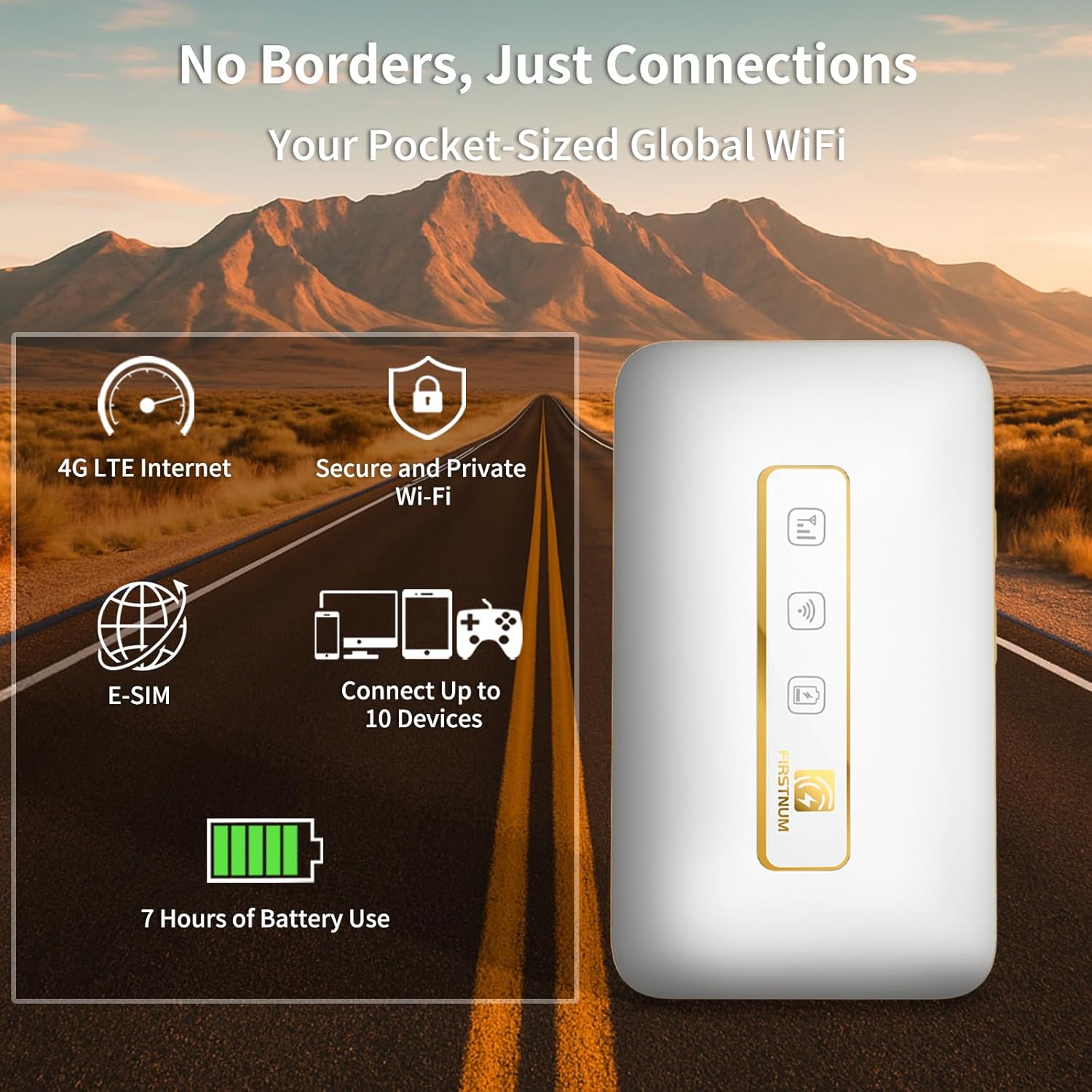
【Travel Hotspot Device】Experience seamless connectivity with this hot spot wifi portable device—your ideal pocket wifi for travel in 160+ Countries. Its ultra-compact design makes this portable hotspot easy to carry in pockets or bags, perfect for on-the-go use. As a reliable mobile hotspot device, it keeps you connected during vacations or business trips. Enjoy a lifetime data plan with 1GB Global Data/monthly, making this wifi hotspot a must-have travel companion
【Prepaid Flex】This prepaid hotspot eliminates SIM card hassle—simply pick a data package that fits your needs. With no contracts (cancel anytime), it’s truly hassle-free. Covering local major carriers networks, this portable wifi intelligently switches to the strongest 4G signal. Stay connected for work, study, or entertainment with this versatile hotspot device.(If the local signal is poor, it may cause the product to fail to register on the network.)
【Quick Type-C Charge】Equipped with a 3000mAh battery, this mifi hotspot delivers up to 6 hours of non-stop use—ideal for half-day outings, short commutes, or on-the-go work sessions. The Type-C port ensures quick recharges, getting you back online fast even when power runs low. Its sleek, portable design fits easily in pockets, small bags, or hand pouches, making it a reliable companion for daily errands or short trips. It also maintains stable signal output, keeping your connection smooth whether you’re video calling, browsing the web, or sharing files with connected devices
【Seamless Device Connectivity】This portable wifi hotspot connects up to 10 devices simultaneously—perfect for sharing with family or colleagues. Choose flexible data plans (by day, week, month) for different countries use, including options for hotspot unlimited data. Check the product description for details on this user-friendly wifi hotspot devices for travel
【Secure & Private Connection】This hotspot ensures safe, private WiFi for up to 10 devices, ideal for on-the-go work or entertainment. With advanced security protocols, it eliminates public WiFi risks—your data stays protected. Trust this hot spots for wifi to keep you connected securely, anywhere you go
8 reviews for M5 Mobile Hotspot, Portable WiFi Hotspot for Travel in 160+ Countries, Connect Up to10 Devices, No SIM Card Required and No Contract eSIM Hotspot, Portable Hotspot with 1GB Free Data Monthly
Add a review

$84.99
Junlin Ou –
FIRSTNUM M5 is a Travel Essential—Just as Great as My M4!
I’ve been a FIRSTNUM fan since I bought the M4 early this year, and the M5 has only made me love the brand more! Both hotspots are total game-changers for my frequent international trips—this M5 works seamlessly in 160+ countries, no SIM card hassle at all. Actually, it can connect up to 32 devices, so my family and I all stay online during vacations, and the 1GB monthly free data is a nice bonus. Which means this hotspot is sometimes my emergency data backup—it’s helped me tackle urgent issues (like last-minute work emails or navigating a new city when my phone plan failed) several times already.The 3000mAh battery lasts 6~8 hours, perfect for day trips, and the Type-C charge gets it back up fast. Even though it doesn’t have a screen like FIRSTNUM M4, the LED indicators are super clearWhether it’s the M4 or M5, FIRSTNUM delivers reliability and ease. If you travel often, don’t hesitate—this hotspot is worth every penny!
Chanel Bates –
Great device! Better than expected, perfect for on the go
I have a couple of businesses where I needed WiFi, but didn’t want to pay to put something on each device. I found this Firstnum M5 and can use my IPad on it during open enrollment season, and can link it to my square device to run cards for my lemonade trailer. You do need to open the back of the device to find the name of the Wi-Fi, the password to the Wi-Fi and the logins to the online portal to change your username and password. Overall, it’s a very simple system, and it works perfectly for what I need! Would buy again if I ever need to. Also, I needed customer service for something and they went above and beyond!
jennasilver –
Budget friendly and it works
After searching for a solution I found this MiFi device. I was a little skeptical about this device, because it says 1GB Free Data Monthly included.I bought the device for a situation where I had no internet possibilities. I needed to have access to 3 Wi-Fi cameras. After setup everything work very well, you can configure settings in the device itself and also login a portal to see you overview of your data online. Very handy. The extra data packages are a bit expensive, but for me the free data is use enough. I have been testing the device for a few months now and everything works fine so far.Also had a small issue connection in the beginning and contacted their customer service by email, they were very fast in responding and took the effort to find a solution.For this price it’s worth every penny.
liz swanson –
Reliable Travel WiFi Anywhere
Perfect for frequent travelers this hotspot connects easily in many countries without needing a SIM card. Setup is simple, speed is stable, and it can handle multiple devices at once. Handy size and great for on-the-go work or trips.
Kenneth –
Don’t buy
Not worth it, battery life is horrible. Also the speed is not good, first time using playstation portable with it and game just kept on lagging
Georgia Peach –
GREAT PORTABLE WIFI
I’ve been using the M5 Mobile Hotspot for travel and it’s super handy. Setup was quick, no SIM card or contract needed, and it works in tons of countries. The 1GB free data each month is nice for light use, though heavy streaming burns through it fast. Connection is solid for emails, browsing, and work on the go. Great little backup for travel or when WiFi’s spotty.
Raj –
4/5
Works well, but international plans can get up there in price, check out website and plans available for the place you’re going before purchasing!
Patrizia Noelle –
Reliable Portable WiFi Hotspot for Travel
Works well and easy to set up. Connection is stable and speed is solid for travel use. The 1GB monthly data is a nice bonus, and it handles multiple devices without lag. Good value for the price.