

XP-PEN Artist12 11.6 Inch FHD Drawing Monitor Pen Display Graphic Monitor with PN06 Battery-Free Multi-Function Pen Holder and Glove 8192 Pressure Sensitivity
$179.99
Related Products


From the brand

XPPen Artist Ultra 16
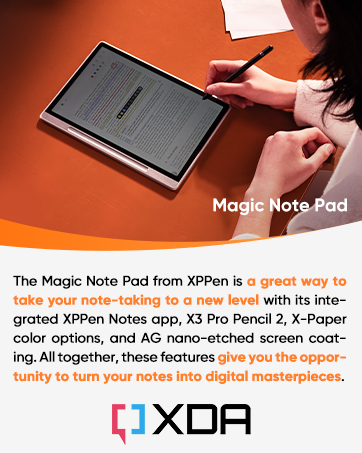
XPPen Magic Note Pad
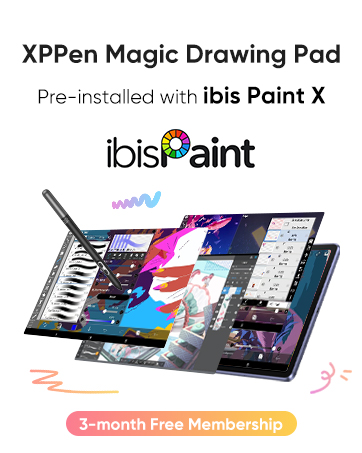
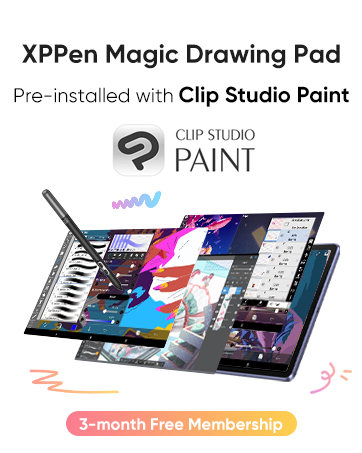
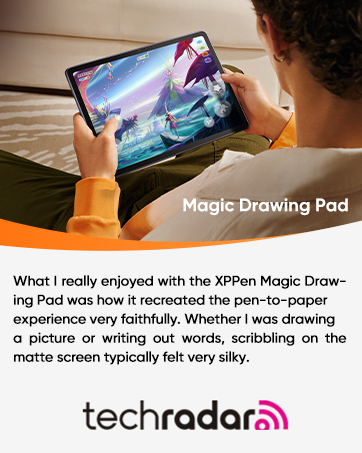
XPPen Magic Drawing Pad
Artist Pro Series
XPPen Graphic Drawing Tablets

Universal Compatibility: It’s compatible with Windows 7/8/10/11, Mac 10.10 or later, Linux. Compatible with Photoshop, Illustrator, SAI, Painter, MediBang, Clip Studio, and more. It’s ideal for digital drawing, animation, sketching, photo editing, 3D sculpting, and more (XP-PEN Artist12 drawing tablet must be connected to a computer to work).
11.6 HD IPS display: Artist12 drawing tablet is the XP-PEN’s latest smallest 1920×1080 HD display paired with 72% NTSC(100%SRGB) Color Gamut, presenting vivid images, vibrant colors and extreme detail for a stunning display of your artwork. It’s pre-installed anti-reflective screen protector already. The slim touch bar can be programmed to zoom in and out, scroll up and down. Its 6 shortcut keys are customizable, XP-PEN driver allows the shortcut keys to be attuned to other different software
Battery-free stylus with a digital eraser at the end: XP-PEN advanced P06 passive pen was made for a traditional pencil-like feel! Featuring a unique hexagonal design, non-slip & tack-free flexible glue grip, partial transparent pen tip, and an eraser at the end! Delivering technical sense, high efficiency, with a fashionable and comfortable grip, and there are 8 replacement pen nibs included with the multi-function pen holder
XP-PEN Artist12 drawing tablet with screen is ideal for online education and remote work. Set the Artist12 drawing screen as an extended display when working from home, visually present your handwritten notes on the screen directly. Teachers and students can write and edit complicated functional equations with ease. It’s compatible with XSplit, Zoom, Twitch, Microsoft Teams, ezTalks Webinar, Idroo, Scribbiar, wiziQ, and more
XP-PEN provides a one-year warranty and lifetime technical support for all our drawing pen tablets/displays. Register your XP-PEN Artist12 drawing tablet on xp-pen web to apply for an ArtRage 5, openCanvas, or Explain Everything. Your laptop/desktop needs to have HDMI and USB-A ports available for the connection, or you need an extra converter(such as Thunderbolt to HDMI, depends on what ports that your laptop/desktop has) for the connection
8 reviews for XP-PEN Artist12 11.6 Inch FHD Drawing Monitor Pen Display Graphic Monitor with PN06 Battery-Free Multi-Function Pen Holder and Glove 8192 Pressure Sensitivity
Add a review

$179.99
Jack Winters –
Excellent in almost every way
This item has only been a positive impact on my small but satisfying art career. I bought the XP-pen deco tablet before this and after using it for a while decided I could use an upgrade. Boy what an upgrade this was!First things first, the colors on the screen are better than most laptop screens. It was very noticeable to me, and I was actually quite surprised when my background picture looked so much better on the drawing screen than my laptop screen.The pen for this tablet was one of the whole reasons that I bought it. Unlike many other tablets out there, even the high end ones like Wacom tablets tend to have a stylus that is chunky to say the least. I would never see myself EVER writing with an actual pencil with that weird shape and thick profile, but this stylus is sleek and feels exactly like an everyday pencil. This means that I can draw with it for hours on end, and the first thing that stops me is getting tired mentally, not getting tired of holding a chunky pencil.Next is the quality of use. The driver is easy to find and install, and allows for almost endless customizability for the shortcut keys and even the scrolling strip. I may not yet be a very well seasoned digital artist, but for anyone who wants to strreamline their workflow, this tablet has enough options to satisfy someone in at least the intermediate stages of learning. The pen has a good number of pressure levels, and after adjusting the pressure curves (also easily done in the driver) it feels almost effortless to get the right thickness in your lines. The point where the pen draws a line is snappy and will only lag behind the pen tip when moving quickly across the screen, at which point you don’t even notice.The resolution might not seem mind blowing at first, but considering that the drawing screen is smaller than most laptop screens, the pixels will be smaller than on most regular computer screens. Maybe you might notice if you have a very high end screen you use.The overall form factor of the tablet is small and easy to carry. I lug mine around in my backpack along with my laptop and notebooks and it doesn’t feel too much heavier. It is nice that it comes with a pen case as well, as I doubt the pen would be quite as resilient without it.There is only one or two things that I wish this tablet did better, and they are more a fault of the product that I selected than the quality of the product itself.I wish the screen were just a bit bigger at times. It feels a bit unfortunate that the tablet is the size of a normal laptop, but the screen is noticeably smaller. Then again, this would come at the tradeoff of larger pixel size, so I can live with it.Lastly, the cables that you have to plug in to get the thing working feel like a hassle if you want to be able to draw between classes or in a spare 20 minutes. You have to spend the first 2 minutes plugging the thing in, and then you have to spend the last 4 unplugging everything and packing it all away. This is comparable to most other tablets in this range or slightly higher though, so I can’t say that I would expect more. I do hope that with the widespread nature of lightning ports on computers these days, we’ll start to see a few more tablets that have some lesser port needs than 2 usb and 1 HDMI cable to work.Overall, if anyone is looking for a drawing tablet that is on the cheaper end but wants to really up their digital art game, I think this is the perfect choice, as it did that very same thing for me.
carlos guerra –
I’ve been using the XPPen Artist 15.6 Pro V2 for almost 6 months now, and it’s been an amazing
I’ve been using the XPPen Artist 15.6 Pro V2 for almost 6 months now, and it’s been an amazing tool for my ZBrush workflow.The pen is very responsive, with great pressure sensitivity and tilt support — perfect for sculpting fine details. The screen quality is excellent, with sharp resolution and accurate colors, making it easy to see forms and textures clearly.The shortcut keys and dial have really improved my efficiency, letting me zoom, rotate, and switch tools without constantly reaching for the keyboard.It’s comfortable for long sessions and has been completely reliable so far. If you’re into digital sculpting, especially in ZBrush, I highly recommend it. A solid choice for any 3D artist!
Noods –
Great at first, then issues arise.
I was ecstatic at first. Upgrading from a cheap tablet with no display to this. Now I got FOUR monitors and the screen is so smooth it’s like drawing on butter. Which I assume is very smooth.I do use it quite a bit. I get bored, I like to sketch and doodle. Setting it up wasn’t bad for me, as I already have a web of cables anyway (We’ll come back to this.) I have it plugged into my PC, so if I remember correctly… the main plugs into your vid card then splices off into three cords going to a USB, power, then to the tablet. I just have it duplicating my main monitor and had no issues with set-up on the software end. Got drivers from their website and boom. I’m off and sketching away.The first… annoyance is the NO OTHER STYLUS SHALL DARE TOUCH OUR GLORIOUS PADS EXCEPT FOR OURS!! …ok. But the stylus is fine. It has square sides and I don’t accidentally keep hitting the buttons like I did with others.Time goes on, and I’m going through nibs. If you know how to change nibs, it’s your basic ordeal. Stylus comes in a round tube that has extras and a little hole that pulls them out. Neat. Although this time, something’s not quite right. I change the nib and go back to drawing and there’s almost… a crunch? Nails on a chalkboard and breaking a bone at the same time, I FREAK OUT… just a little. The nib didn’t break or fall out… it just… isn’t locking in completely. So when you push against the tablet at a certain angle, it’ll push back in a little bit making you jam the pen into THE BEAUTIFUL SMOOTH SCREEN and have a minor heart attack.Ok. Time to devise some solutions to this dilemma. Likely user error. I’m kinda dumb, so maybe I just didn’t put it in right? Take it out, try again. Still does it. Maybe it’s this nib? Try another one. And another one. And another one. Same problem. Well, it’s a good thing I have other styluses around, I can just–wait. “NO OTHER STYLUS SHALL DARE TOUCH OUR GLORIOUS PADS EXCEPT OURS!!” …right. TIME TO ORDER A NEW ONE I GUESS.After figuring out which stylus I needed for the exact model, luckily they were in stock. Also, since this model is already “outdated”, extras may be limited forcing to upgrade or buy a new tablet altogether. I see how this goes. While I’m ordering, I’m also considering ordering more nibs. I’m not out yet, but it’s good to be prepared. But surely. SURELY. They’ll have extras with this new pen, right? …right!?They don’t.Now I’m doing my favorite thing in the world: CABLE MANAGEMENT. But after tidying up, the cable to the tablet is a little shorter than it used to be. It still reaches me, but causes anxiety. If I lean back too far, it’s sliding onto the floor. And I’m already close enough to the main monitor that my retinas are burning. The tower is behind it, I can literally reach up and touch it from here.So hurray, now I gotta buy a micro-usb extension! It is important to note that it comes with an extension cord, but that’s already in use to reach the power. Plus I think it’s regular USB, anyway. So if you’re further than arm’s reach, keep in mind you may need an extension.Besides these fairly minor gripes, it’s worked great. Which is surprising. Been spilled on… I accidentally ash on it all the time. When I’m shading or coloring, I’m like that kid in the Ring drawing the circles and screen is still smooth.I’d put it at… somewhere between beginner and expert. If you want better quality than the cheap ‘beginner’ tablets, but don’t want to drop five hundred on a PRO EXPERT TABLET OMGO! …then this’ll work.
Bianca –
I have not had this for very long but I’m so far pleased with it. This is not my first graphic tablet but it is my first display one. The XP-Pen Artist 12 is a display graphic tablet which must be plugged into a laptop or monitor for it to work, it is not functional as a standalone product just to be clear. Inside the box includes wires to plug in, several wall mounts for different regions, a drawing glove, a screen cleaning cloth, some manuals, the pen (which also has an eraser on the other end of it as well as extra nibs in the holder) and of course, the tablet. There is no stand included.Display: The display matches the monitor almost perfectly. There may be a small difference color-wise but it is almost undetectable. The working space is slightly smaller than 12 inches (and forgive me if I’m off as I am not the best when it comes to measuring) so it may feel a little small at times. The contrast and color scales are customizable in the settings so you may adjust it to better replicate your computer monitor. But do be aware that turning up the brightness (buttons on the side near the input plug) on the tablet itself may also affect the contrast and cause things to look weird.If you have overhead lights on while using it, you may notice some glare issues that can obstruct your vision.As the display is not laminated, there is a small observable gap between where you place your pen and where your cursor appears on the screen. This parallax issue is easily overcomable in my personal experience and doesn’t actually affect the way you draw but it may bug you if you are prone to being displeased by that.Pressure and Drawing Experience: The pressure sensitivity is rather decent (I’m no expert though) and though the display looks smooth, there is a grippy, textured feel to drawing on it. The pen detection distance is rather short, however, so the pen tip must be pretty close to the screen at all times if you want to hover over something without clicking or drawing. I am satisfied with the drawing experience though. Because there is no stand included, you may find yourself in awkward positions or practicing poor ergonomics so I do recommend purchasing one.Shortcut keys: The tablet includes short cut buttons to the side and a scroll wheel all of which are mappable in the settings. The scroll bar is not very sensitive but its still useful. The pen also has a shortcut button on one of its sides but is incredibly inconvenient to use as it rests flat and is therefore undetectable by feel. You’ll have to stop what you’re doing to look at it if you’re determined to use it and there have been times where I gripped a little too hard after habitually rotating it and accidentally pressed it while drawing.Software: You must first uninstall any drivers from other brands you had installed and then search for the XP-Pen drivers on their official website. I have not had any driver issues but there may be select software incompatibilities that you should be aware of.I used Paint Tool Sai on my previous Wacom tablet before getting this one only to find that XP-Pen has some strange issues with the program. The pressure sensitivity completely stopped working and the pen eraser is rendered obsolete. The pressure sensitivity can be fixed by installing and using a special version/pack of Paint Tool Sai but I am not aware of any eraser end fix.Durability: I researched about this Tablet before buying and this aspect was completely inconclusive. I used to have a Wacom graphic tablet and I wanted a display (that wasn’t Wacom prices) but I was concerned that I would spend a good 200 dollars for a month or two of use. Obviously the XP-Pen Artist 12 isn’t a tank and should therefore be treated with utmost care. There is an included warranty but I hope to never need to use it. I will most likely update this aspect after further use down the line.Price: This one speaks for itself. The price tag is so good for a display tablet, its near irresistible.Overall, the XP-Pen artist 12 is a great display tablet, especially for the price and I can wholeheartedly recommend it.
Joaovictordaniel –
Muito bom, produto perfeitamente embalado e protegido sem nenhum arranhão ou dano, com um tempo de envio bem rápido e um produto que atende suas expectativas
Pankaj –
I am reviewing it after using it for 2 years. Currently I am using as an external display. its screen quality is great and its build quality is superb because it survived an accidental fall. no screen damage at all.
Menno –
Ik heb deze tablet gekocht voor mijn vrouw. Ze wilde eigenlijk een “blinde” van Wacom maar tijdens onze zoektocht liepen we tegen deze aan die voor een vergelijkbare prijs een scherm biedt. Ik teken zelf niet, maar kon me voorstellen dat dit veel en veel fijner werkt. Dus we hebben de gok genomen, na wat reviews te hebben bekeken, en deze tablet gekocht.Ik ben niet bekend met de concurenten, ook niet met Wacom, dit is onze eerste tablet voor tekenen maar hij is erg prettig en mijn vrouw is er dolgelukkig mee. Ik raad hem dus ook zonder meer aan voor mensen die een keer willen proberen of digitaal tekenen iets is voor ze.Het werkoppervlak is groot genoeg en het scherm is erg scherp en mooi van kleur (al ben ik geen kenner en zal er natuurlijk voldoende op aan te merken zijn als je gaat kalibreren en zo, maar ok, in deze klasse (zowel van tablet als artiest :+ ) doet dat er niet zo veel toe.De pen zelf ligt lekke rin de hand en zelfs ik kon er prima mee schrijven, het is echt net of je op papier werkt.
Paul –
I love this tablet so much. If you’re like me and haven’t had a drawing tablet with a screen prior, this one is perfect. Works great and although set up can get a little frustrating, after that it’s smooth sailing. I haven’t had any problems with it yet. Although there are certain apps it is compatible with and made to use, you can still use other drawing platforms with it though it will obviously be a little more complicated. I will admit the stand’s angle is a little low so that can be irritating, but as long as you take breaks or invest into a higher stand to prop it up you will be fine.