

SainSmart PrintyGo Mini 3D Printer for Kids, 600mm/s Auto Leveling Printer for Beginners with 5″ Touch Screen, 1500+ Models, Child-Safe Design, Wi-Fi/App Control, Pre-Assembled for STEM Learning Gift
$52.99
Related Products


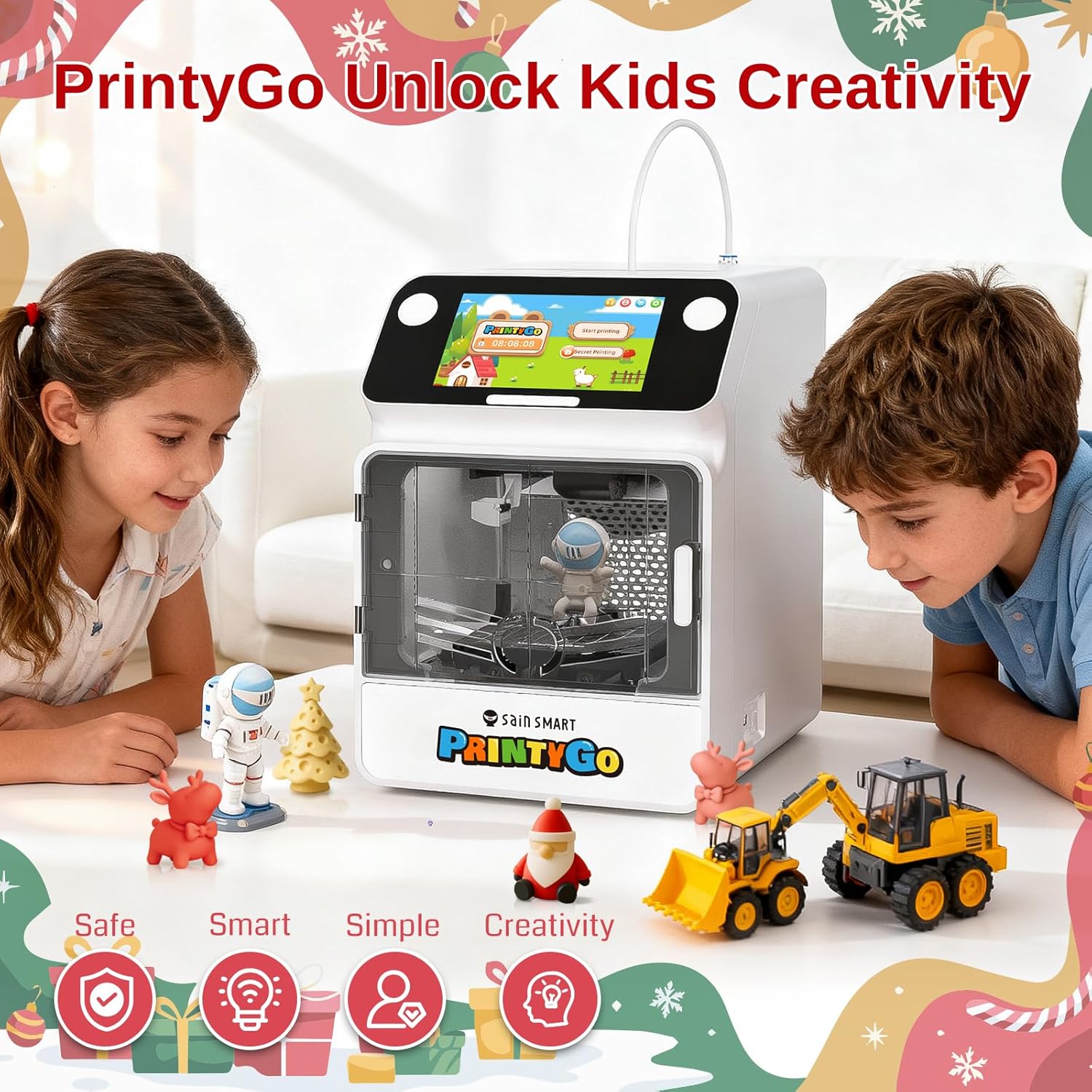


Product description
The video showcases the product in use.The video guides you through product setup.The video compares multiple products.The video shows the product being unpacked. Printygo video display Merchant Video
1500+ Ready-to-Print 3D Models 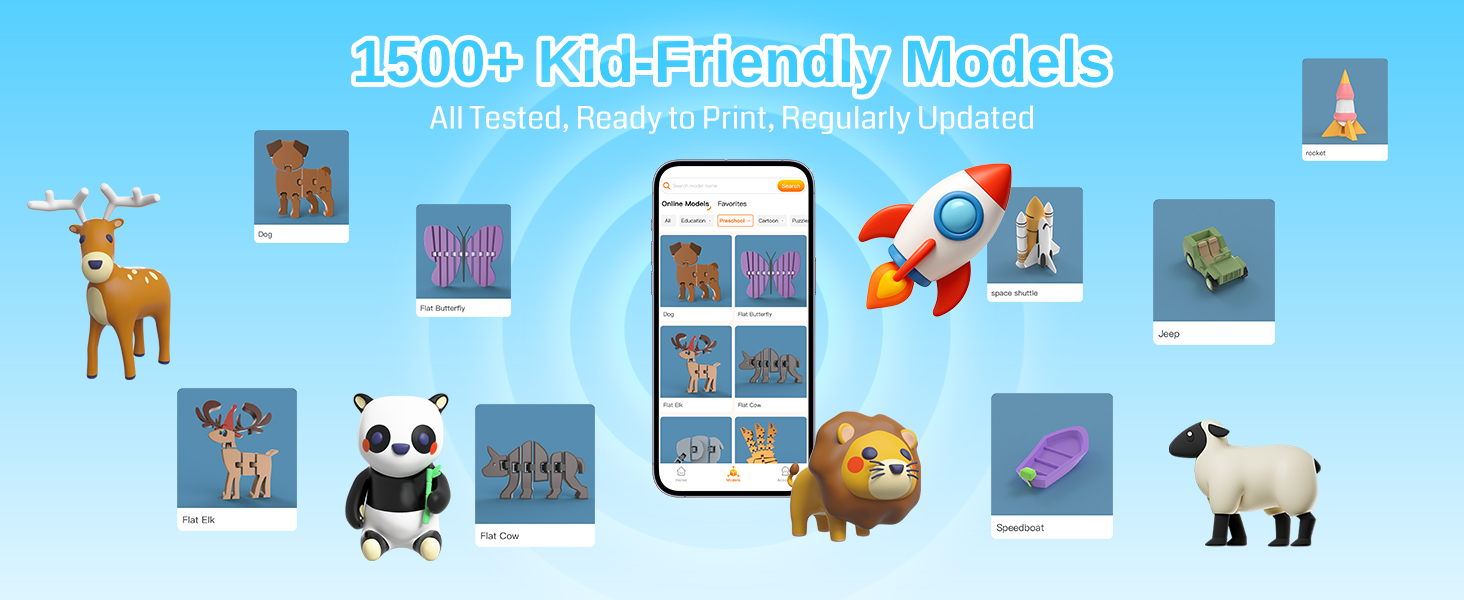
PrintyGo offers over 1,500 3D models covering STEM, humanities, animals, puzzles, and more. Our model library is updated weekly, providing endless creative opportunities and hands-on learning for children. Safe, fun, and perfect for inspiring curiosity
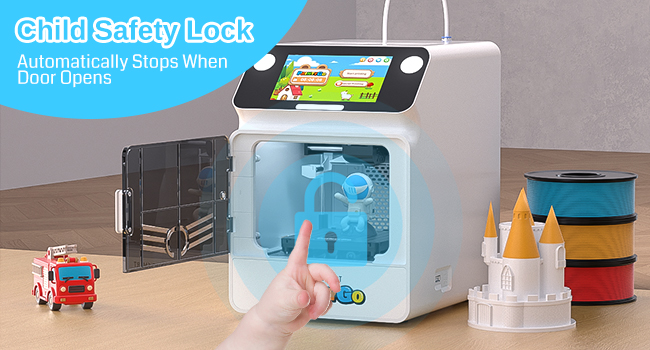 Safety First
PrintyGo puts safety first! With a child safety lock, automatic stop when the door opens, and a fully enclosed design to prevent touching, moving, or hot parts, kids can explore 3D printing freely. Meets FCC & CE safety standards, fun and safe every time
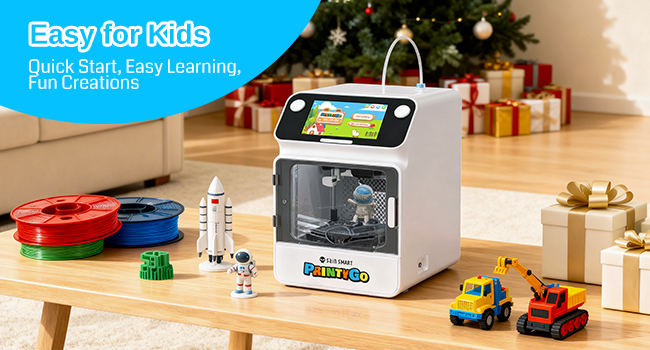 Easy & Ready-to-Use
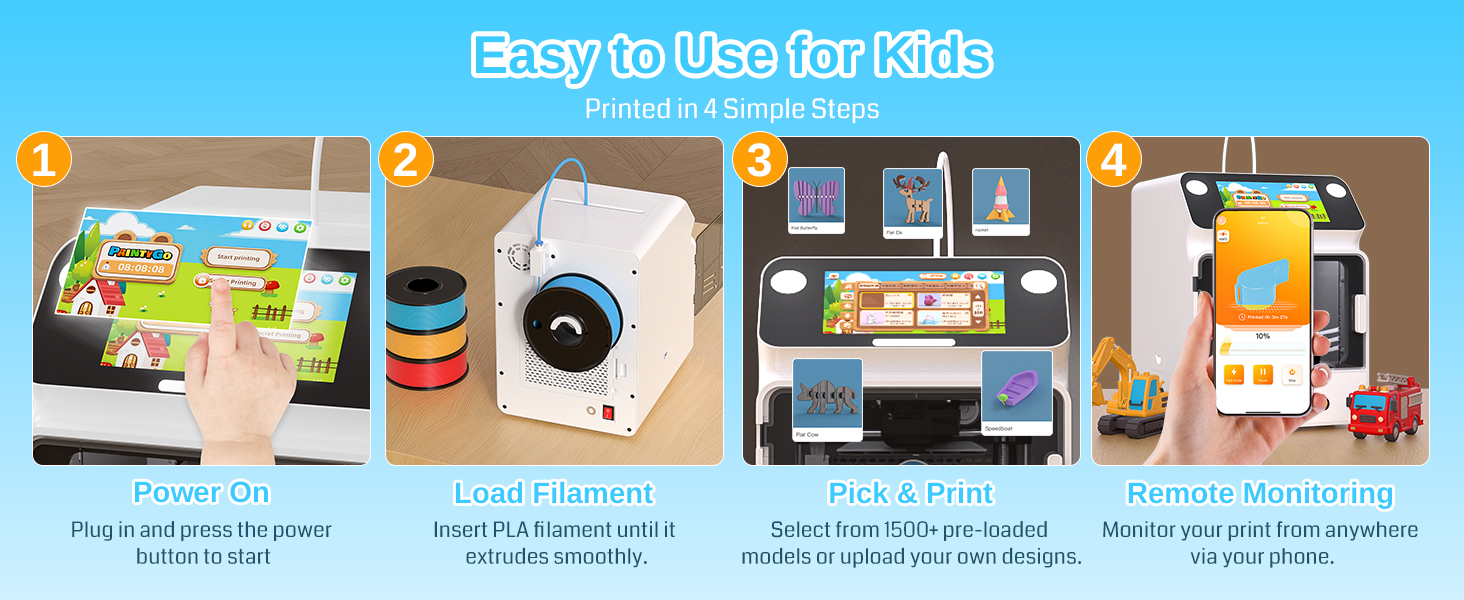
PrintyGo is ready to go straight out of the box—no complicated setup required! Easily control and print toys in real time using the 5-inch touchscreen or our intuitive app. Simple, fun, and perfect for kids to start their 3D printing adventures instantly
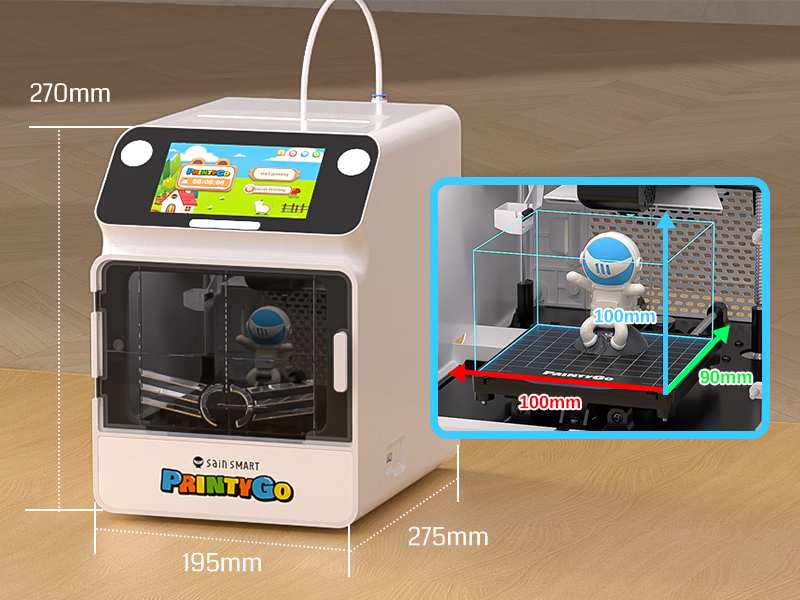
Compact Yet Powerful
PrintyGo is compact and easy to fit anywhere, measuring 270×195×275mm. Despite its small size, it offers a generous maximum print volume of 100×100×90mm and works perfectly with PLA (Recommended), PLA+, and PETG, ideal for creating toys, models, and STEM projects in kids’ rooms or classrooms
Please note that it is not recommended to use TPU filaments.

What Our Customers Think 
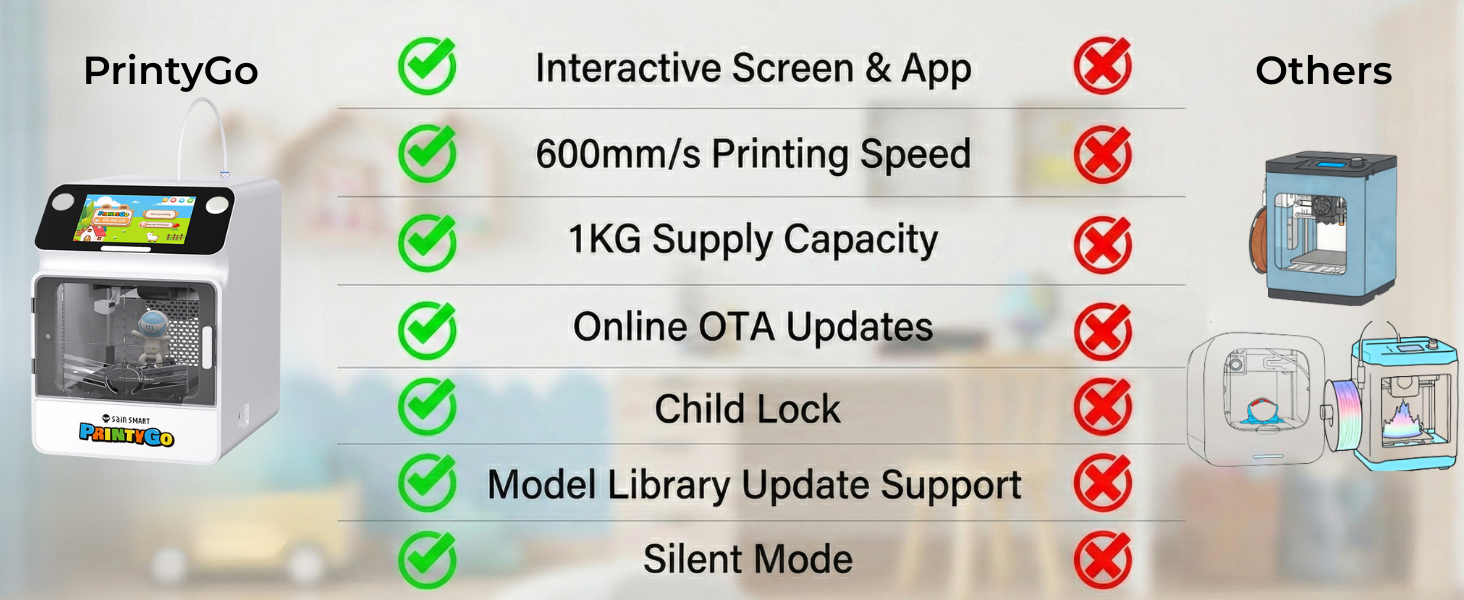
[Why Choose PrintyGo] PrintyGo combines child-safe design, fast 600mm/s printing, and easy setup in one compact printer. Perfect for kids, it encourages creativity and hands-on learning while making 3D printing simple, fun, and educational
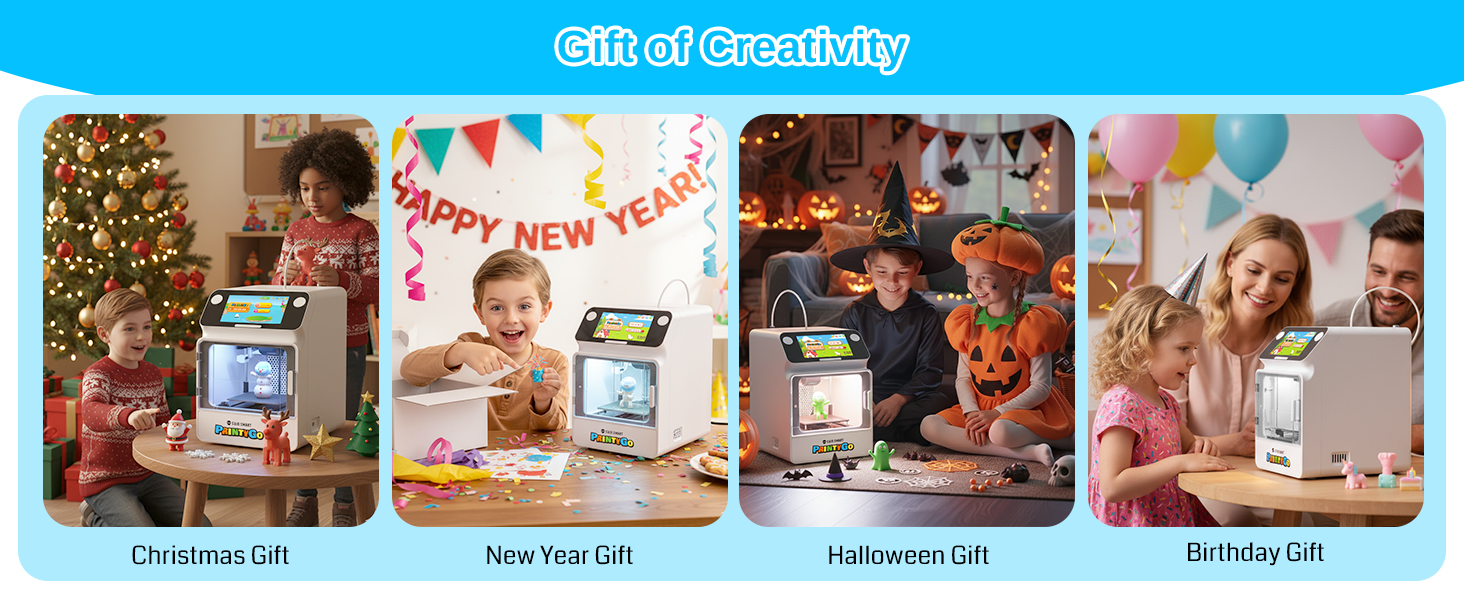
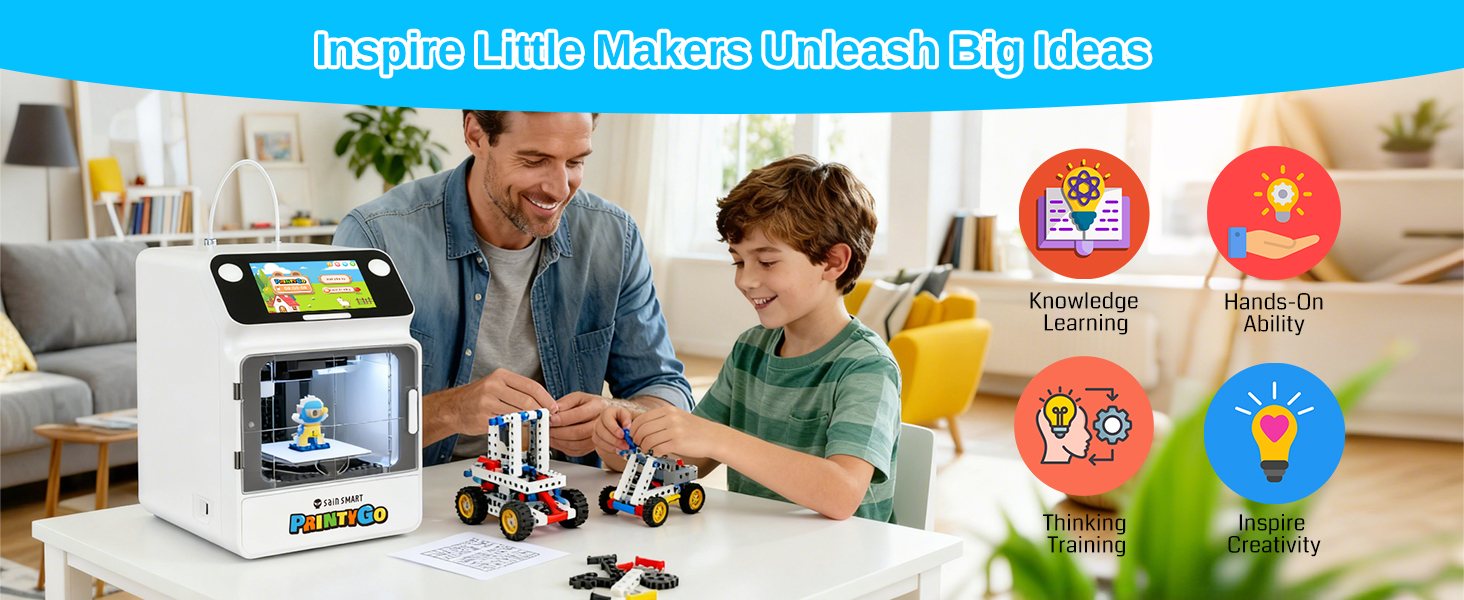
[Designed for Kids Aged 4–12] Created for young creators, PrintyGo introduces children to the world of STEM learning by blending science, technology, engineering, and math through play. It sparks curiosity, inspires exploration, and develops critical thinking, making it an ideal birthday, Christmas, or holiday gift for young minds
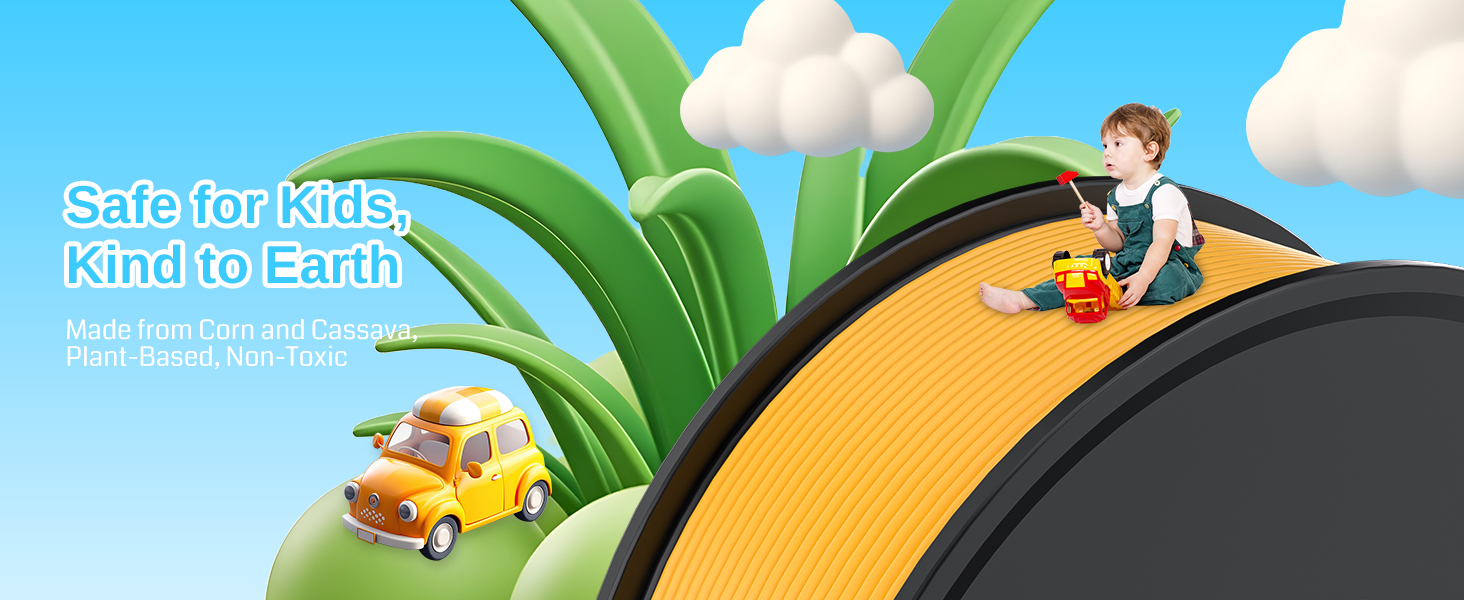
[Child-Safe & Eco-Friendly Design] Built with a fully enclosed body to prevent contact with moving or heated parts, PrintyGo ensures peace of mind for parents. It features a child lock system that pauses printing when the door opens, and uses non-toxic, eco-friendly PLA materials that are safe for kids and the environment
[Interactive Screen for Easy Control] PrintyGo 3D printer features a responsive, interactive screen that makes operation a breeze. You can just tap and go, with all the functions right at your fingertips, rather than relying on knobs or an app on your smartphone to get started. No need for a smartphone or computer connection—this kids’ printer works independently right out of the box. Skip the complicated slicing process; it requires zero technical learning, letting kids start creating instantly. It is also compatible with professional software like Cura
[Endless Creative & Learning Resources] Features a rich library with over 1,500 3D models, covering diverse themes like animals, geometric shapes, puzzles, and miniature landmarks to fuel kids’ curiosity. The resource library updates weekly, continuously adding new 3D models and learning content to keep kids’ creativity and curiosity stimulated
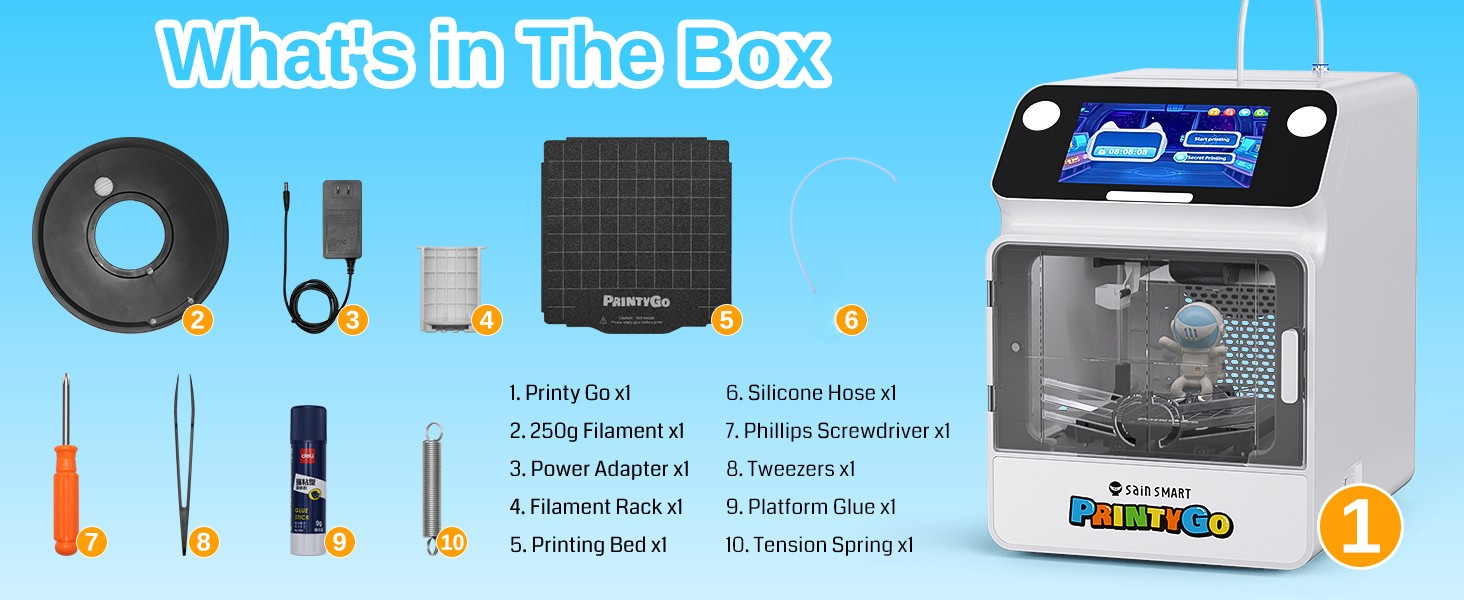
[Packing List] Includes PrintyGo 3D printer, White PLA filament 250g, Filament Rack, Printing Bed, Platform Glue, PTEF Tube, Leveling Paper, Tension Spring, Power Adapter, User Manual, Tweezers, and Phillips Screwdriver.
10 reviews for SainSmart PrintyGo Mini 3D Printer for Kids, 600mm/s Auto Leveling Printer for Beginners with 5″ Touch Screen, 1500+ Models, Child-Safe Design, Wi-Fi/App Control, Pre-Assembled for STEM Learning Gift
Add a review

$52.99
Trevor –
Great machine to use with your kids!
This machine is so easy to get started! I’ve never used a 3d printer before and I had my first print going about 10-15 min after I opened it. More importantly, my 4 year old son was printing his favorite models right after that! He loves it and it’s pretty fast and pretty quiet so I think it’s an excellent machine to get him interested in making things and I think it might have started a new hobby in 3D printing for me as well!We’ve already made some cool little models and even a fidgit spinner that actually spins. This would be an excellent gift for your kids or grand kids!
Kn –
Good As Kid’s Toy, Not Great As 3D Printer
I have been using 3D printers for a few years now, so I generally know my way around setup and the process. I am torn on this review. There are two ways to look at this product. It is a printer marketed for kids, but there is a competitive market for 3D printers, and the $300 list price has some strong contenders.As a kid’s printer, this has an easy-to-use interface. Setup is relatively simple. I will note that I had to get a replacement because the first printer I received had an issue with the alignment of the head. The magnet case wouldn’t sit properly, and I had trouble leveling the bed. The replacement worked right out of the box. This leads me to my first issue with the machine. The product page has “Auto Leveling” in multiple places. It is not auto bed leveling. If you check the settings, it appears that they pre-level the bed because there is already a Z offset in the settings, and it is set ready to print out of the box. If you find the bed does need adjustment, the leveling process is terrible by today’s standards for 3D printing. It is completely manual with the paper test. You have to move the print head around feeling the resistance in the sheet of paper at different points on the bed. If you find one out then you have to move the print head out of the way and remove the build plate before turning one of four corner screws. There isn’t easy access for a screwdriver, so I used just the bit, and it was easy enough to turn with my fingers. You then replace the build plate and repeat the paper test, iterating until it provides consistent resistance across the plate. Even low-end printers these days have a semi-automatic bed leveling process where the head will touch off the bed in a grid pattern and provide a height map for leveling. Ignoring that and assuming yours comes preset like my replacement, the rest of the setup is quick and easy. Annoyingly, after you set the Wi-Fi up, it will show a firmware update, which will reset the printer, making you set everything up again, including the Wi-Fi. Once you get past the update, printing is straightforward. There is a library of prints ready to go, or you can use the Kidoodle Slicer or Cura. The library is extensive, and until your kids are comfortable creating their own models, this will keep them busy. As a kid’s printer, I give it a 4 for the ease of use (assuming you have the bed leveled) and safety features. If you are not willing to accept the risk of having to tinker with the bed leveling, then this rating may plummet for some people.Highlights as a kid’s printer:-Quick setup using prompts on the screen (assuming bed is level on receipt)-Extensive library of catered prints cuts out the complicated slicing process-Open to external prints through USB-Fully enclosed for safety and door alarm if opened during print-Easy touch screen navigation for kids-Low noise level during operation-Fairly speedy printingDownside as a kid’s printer:-Fully manual process for bed leveling (product page should remove any mention of auto-leveling)-Location of the filament reel is too close to the tube inlet, making it difficult to install a new filamentReviewing this as a $300 printer is a different perspective. There are many good printers that may not have the safety features and the built-in library for quick and easy prints, but their performance and build quality are way better than this printer. If you can trust your kids with an open printer, you can get a popular name brand that has an actual auto-leveling bed that is heated, including a camera and an ecosystem that will get you close to a built-in library for under $300. You will also have the option to upgrade at some point to do multiple material prints if you buy an AMS. As just a 3D printer, I would rate this two stars compared to the other options in its price point.Highlights as a 3D printer:-Built-in library for beginners-Decent speed-Compact and enclosed-Quiet (relatively)Downsides as a 3D printer:-Extremely small print bed-Build plate is of poor quality with a thin non-stick sticker (I cut my own from an old, bigger plate)-Bed not heated (anything wide and thin is at risk of warping during the print). I printed the bed level test print, and it warped horribly. This might be the worst issue with the printer.-Rails for movement are thin (not as robust as other options)-Can only handle small filament spools (0.25 KG spools)Overall, it is marketed for kids and is easy to use, making it fun for kids to learn about 3D printing, experiencing it firsthand. With the safety features in mind, this is a device that even younger kids can operate with limited supervision. Ultimately, if you are not prepared to help make sure the print bed is properly leveled and at the right Z offset, then stay away from this printer. You could get lucky, and it will be preset perfectly, but even that may not last, and when your kids start complaining the prints are failing, you might be forced into learning.
Amazon Customer –
Missing spools
Missing spools
I. Palmer –
Wow! My Family Loves This Printer
I absolutely love the SainSmart PrintyGo Mini 3D Printer, and it honestly made me fall in love with 3D printing. From the moment I set it up, I was impressed. It came pre‑assembled, which made the unboxing experience smooth and stress‑free. Even if you are new to 3D printing or buying it for a child, it is incredibly beginner‑friendly.The auto leveling feature is excellent. I had struggled with leveling on other machines in the past, but PrintyGo’s system took that worry away and got me printing reliably right away. The 5″ touch screen is intuitive and responsive, so navigating settings and starting prints feels effortless. I love that it comes with 1500+ models ready to print — it gave me endless options to explore without having to hunt for designs online.What really stands out is how safe and kid‑friendly it feels. The design gives me peace of mind when my daughter uses it for her STEM projects. The Wi‑Fi and app control are great additions — I can send prints right from my phone or tablet without needing to be at the printer physically.The printing speed is impressive too. At up to 600 mm/s, the printer works quickly without sacrificing quality, and the results have been clean and detailed. I’ve printed everything from toys and keychains to practical household items, and each piece has come out strong and accurate.This machine didn’t just meet expectations — it inspired curiosity and creativity. It has become a staple in our home for learning, experimenting, and having fun with design. Whether you’re gifting it for STEM learning or diving into 3D printing yourself, this printer is an amazing choice. I’m already planning my next set of projects and can’t imagine my creative space without it. Perfect size for small workspaces as well.
Nerdy –
My Three-Year-Old’s First Factory: Tiny Printer, Big Wow (and a Slightly Lighter Wallet)
I grabbed the SainSmart PrintyGo Mini because my three-year-old is obsessed with my big A1 and I wanted a toddler-proof printer he could poke without me hovering like a safety drone. Functionality is built for short attention spans: the 5-inch color touchscreen uses picture icons, so he taps the green “dino” button, hits start, and the file zips over Wi-Fi while he claps. Quality shows up in the fully enclosed shell and door sensor that pauses the nozzle if he yanks the lid open, so I don’t have to dive across the room like a goalie. Bed leveling is fully automatic; the sensor touches the plate once, sets the height, and we’re printing in under a minute, no paper-sliding dance required. Value for money is where I had to swallow hard: $240 could buy a faster, larger open-frame printer, but I’m paying for the enclosure, sensor, and curated app instead of raw specs, and that trade-off buys me peace of mind and preschool-friendly operation. The build volume is tiny (6.3″ cube), yet prints finish in fifteen minutes, perfect for a kid who thinks five minutes is forever. Bottom line: he gets the thrill of “I made this,” I get the thrill of not guarding a 200 °C nozzle, and my A1 finally gets a coffee break.
Alcachofa –
La SainSmart PrintyGo Mini es la impresora 3D ideal para introducir a los más pequeños (y a los no tan pequeños) en este mundo fascinante, de forma segura y sin frustraciones.Llega preensamblada, lo que significa que en minutos está lista para imprimir directamente de la caja, un acierto total para mantener la ilusión desde el primer momento. Su diseño cerrado y seguro evita tocar piezas calientes, dando una tranquilidad enorme a los padres.La autonivelación automática elimina el paso más técnico y tedioso, permitiendo que el foco esté en la creatividad. La conectividad por Wi-Fi y app es muy intuitiva, permitiendo enviar trabajos desde una tablet de forma sencilla.A pesar de su tamaño compacto y enfoque educativo, su velocidad de hasta 600 mm/s y la calidad de sus impresiones sorprenden gratamente. Es robusta, fiable y hace que el aprendizaje STEAM sea divertido, accesible y tremendamente satisfactorio. Un regalo perfecto que une tecnología, creatividad y educación.
Travel –
J’ai déjà plusieurs imprimantes 3D, même plus chères. J’ai pris ce modèle PrintyGo Mini pour mon neveu. Le concept est intéressant pour un enfant, l’interface est facile à prendre en main. J’ai pu imprimer un modèle sans calibrage en moins de cinq minutes. Ce que j’en ai pensé:🟢 Le setup est ultra simple, cinq minutes suffisent pour lancer une impression.🟢 Elle est entièrement fermée, le boîtier est sécurisé pour les enfants.🟢 L’écran tactile est clair avec plus de 1000 modèles pré-chargés.🟢 Elle est assez silencieuse et ne prend pas de place sur un bureau.🟡 La qualité de l’impression n’est pas particulièrement bonne.🟡 Le nettoyage du plateau est … pas super agreable🟠 Le prix est élevé pour des performances pures restant limitées.J’espère sincèrement que mon avis vous sera utile pour bien choisir ! 😊
Christian –
Ho avuto modo di testare la mini stampante 3D PrintyGo fornita da SainSmart, pensata per essere usata in modo intuitivo da bambini e principianti. La confezione è ben realizzata, con molto polistirolo a protezione del dispositivo. La stampante risulta davvero molto compatta, si monta in pochissimi passaggi. Pecca importante la mancanza della lingua italiana. Al primo avvio viene chiesto di scegliere la lingua e di connettersi al wifi locale per poter verificare la presenza di aggiornamenti. Una volta aggiornata si riavvia e bisogna ripetere da zero la procedura fatta qualche minuto prima. Per scaricare l’app bisogna inquadrare un qrcode, presente nel menu della stampante, che porta ad un sito totalmente in lingua cinese, dal quale bisogna scaricare un apk ed installarlo fidandosi della cosa, io resto molto restio quando vedo certe cose, poteva essere fatto molto meglio, meno 10 punti a grifondoro. Sia sull’app che sulla stampante è possibile visualizzare dei modelli già pronti per essere stampati, senza nessun menu di personalizzazione o modifica degli stessi, ne tantomeno qualche menu di creazione basilare, come ad esempio la realizzazione di un testo semplice. Inoltre, sull’app non è presente nemmeno un menu di importazione dei modelli 3d, cosa che si può fare unicamente connettendo una pendrive alla stampante e navigando nel menu. Dopo aver avviato la prima stampa, ho notato che non era ben calibrata l’altezza del piatto ed ho dovuto interrompere forzatamente la stampa, premendo il tasto a schermo apposito, volendo lo fa in automatico se viene aperto lo sportellino in plastica trasparente posto sulla parte frontale. I risultati sono visibili in foto, la benchy tutto sommato non è venuta malissimo, considerata la tipologia di stampante: imperfezioni nei primi strati e disallineamenti di decimi di millimetro lungo i bordi del modello. Allego tutte le foto per i dettagli e le statistiche relative alla stampa. Dai quali ricavo che la velocità del’ugello è compresa tra i 100 ed i 150 mm/s, nettamente inferiore ai 600 dichiarati sulla pagina del prodotto, e non ne sono sorpreso dato il tipo di dispositivo. Considerato il rapporto qualità/prezzo buono, le funzionalità offerte e la qualità dei materiali, assegno al prodotto un punteggio di 3,5 stelle su 5.
Heiko_385 –
Der SainSmart PrintyGo richtet sich an Kinder und Jugendliche, die erste Erfahrungen mit dem 3D-Druck sammeln wollen. Die Inbetriebnahme ist sehr einfach – neben dem Entfernen der ganzen Transportsicherungen, benötigt man nur noch den Stromanschluß und muss das Filament einführen. Ein PC, Smartphone etc. ist im Prinzip nicht notwendig – bereits über den kindlich gestalteten Touchscreen kommt man über 1000 vorgefertigte Druckmodelle, die per Tastendruck gestartet werden können. Für die volle Modellauswahl benötigt man lediglich WLAN-Zugang, da die meisten Modelle von einer Website im Internet geladen werden. Diese Webseite ist strukturiert nach verschiedenen Kategorien und wird immer wieder mit neuen Modellen versorgt.Mitgeliefert wird ein weißes PLA-Filament, mit dem man ohne weitere Konfiguration sofort gute Ergebnisser erzielt.Im Gegensatz zu den bunten Produktbildern kann der Drucker aber keine verschiedenen Filamente in einem Druck verarbeiten – die Drucke sind einfarbig. Der kleine Bauraum erlaubt eine günstige Konstruktion und trotzdem recht gute Präzision, auch kann man nicht nur automatisch drucken, sondern durchaus auch die Parameter anpassen. Da aber keine Bettheizung vorhanden ist und der Druckkopf einen beschränkten Temperaturbereich hat, wird man wohl ohnehin eher bei PLA als Filament bleiben.Neben dem Drucken direkt per Touchscreen, kann man auch über eine Smartphone-App komfortabler auf die Modelle zugreifen und bekommt auch einen einfachen Slicer an die Hand. Per USB-Stick kann man auch eigene Modelle zuführen.Der Drucker ist durchaus durchdacht, der Druck kommt sauber aus dem Drucker und man kann damit spielerisch in die 3D-Druckwelt einsteigen.Negativ ist dabei allerdings – bedingt durch den kleinen Bauraum und die limitierten Filament-Möglichkeiten – das begrenzte Einsatzszenario und der Preis. Prinzipiell geht der ok – auch die Datenbank mit den Modellen muss erstellt und gepflegt werden, aber für Jugendliche, bei denen absehbar ist, dass 3D-Druck eventuell auf mehr Interesse stoßen könnte, würde ich dann doch mit einem großen Drucker direkt einsteigen.
Richard –
Cette imprimante est une bonne idée pour donner goût à l’impression 3D aux plus jeunes. Mais dépenser autant pour une imprimante ne gérant que du PLA et une seule couleur, c’est exagérer. Certes son utilisation est simplifiée au maximum pour les enfants et elle possède une sécurité à l’ouverture de la porte, mais quand même. Sans parler du fait que certains éléments sont franchement de mauvaise qualité, notamment la plaque de construction, laquelle n’est d’ailleurs même pas chauffante.Du côté logiciel pour smartphone, n’étant pas proposer sur les stores officiels, il faut le télécharger directement sur un site chinois. Je veux bien être confiant mais en tant qu’ingénieur en informatique, ça contredit mes résolutions. Du coup, nous sommes limités à la bibliothèque préinstallée dans l’imprimante. C’est suffisant pour se rendre compte qu’il s’agit plutôt d’un jouet qui risque de ne pas durer longtemps.Évidemment, les enfants sont ravis mais je crains leur réaction quand l’imprimante ne fonctionnera plus correctement.A mon sens, mieux vaut dépenser son argent dans une vraie imprimante 3D (moins chère) et passer un peu de temps à la maitriser avant de faire participer les enfants.