

Cricut Explore 4 – Smart Cutting Machine (Seashell) | Engagement Bundle – Includes Smart Vinyl, Cardstock, Transfer Tape, Iron On HTV, Mat, Pens, Tool Kit, & 25 Images in Design Space App
$36.99
Related Products




Personalize your everyday with the next generation of our most popular smart cutting machine, Cricut Explore® 4. Make popular projects like custom vinyl decals, stickers, cards, and T-shirts. You can even make in multiples. This machine delivers speed, precision, and accuracy, cutting up to 2X faster than the previous model.1 It comes with materials to hit the ground cutting, and easy-to-follow setup instructions online. No design experience required. Works with free Design Space® app. This bundle also includes the Essential Materials bundle – 6 sheets of Smart Vinyl (13×12″), 6 sheets of cardstock (12″x12″), 5 sheets of transfer tape, 6 sheets of Smart Iron On HTV (13″x12″), StandardGrip Machine Mat, 4 Tools (Weeder, Scraper, Spatula, Scoring Stylus), & 2 Fine-Point Pens. It also includes 30 images of digital content within Design Space. These will be available upon registration of your machine.
INCLUDES: Explore 4 Smart Cutting Machine, Essentials Bundle, Fine-Point Blade + Housing, Materials Sampler (Smart Vinyl 13″x6″, Smart Iron On HTV 13″x6″, Cardstock 11″x4.25″, Transfer Tape 12″x6″), Fine Point Pen, Light Grip Mat, Weeder Tool, & 25 images of digital content in Design Space App
ESSENTIALS BUNDLE: Also includes Cricut Essentials Bundle – 6 sheets of Smart Vinyl (13×12″), 6 sheets of cardstock (12″x12″), 5 sheets of transfer tape, 6 sheets of Smart Iron On HTV (13″x12″), StandardGrip Machine Mat, 4 Tools (Weeder, Scraper, Spatula, Scoring Stylus), & 2 Fine-Point Pens
ENDLESS CREATION & PERSONALIZATION: Explore 4 works with 100+ materials, including vinyl, iron-on HTV, cardstock, stickers & so much more. Explore 4 not only cuts, but it also draws, foils, scores, & more.
COMPATIBLE WITH INKJET PRINTER: Create full-color designs for stickers & more with Cricut’s Print-Then-Cut feature, compatible with most inkjet printers
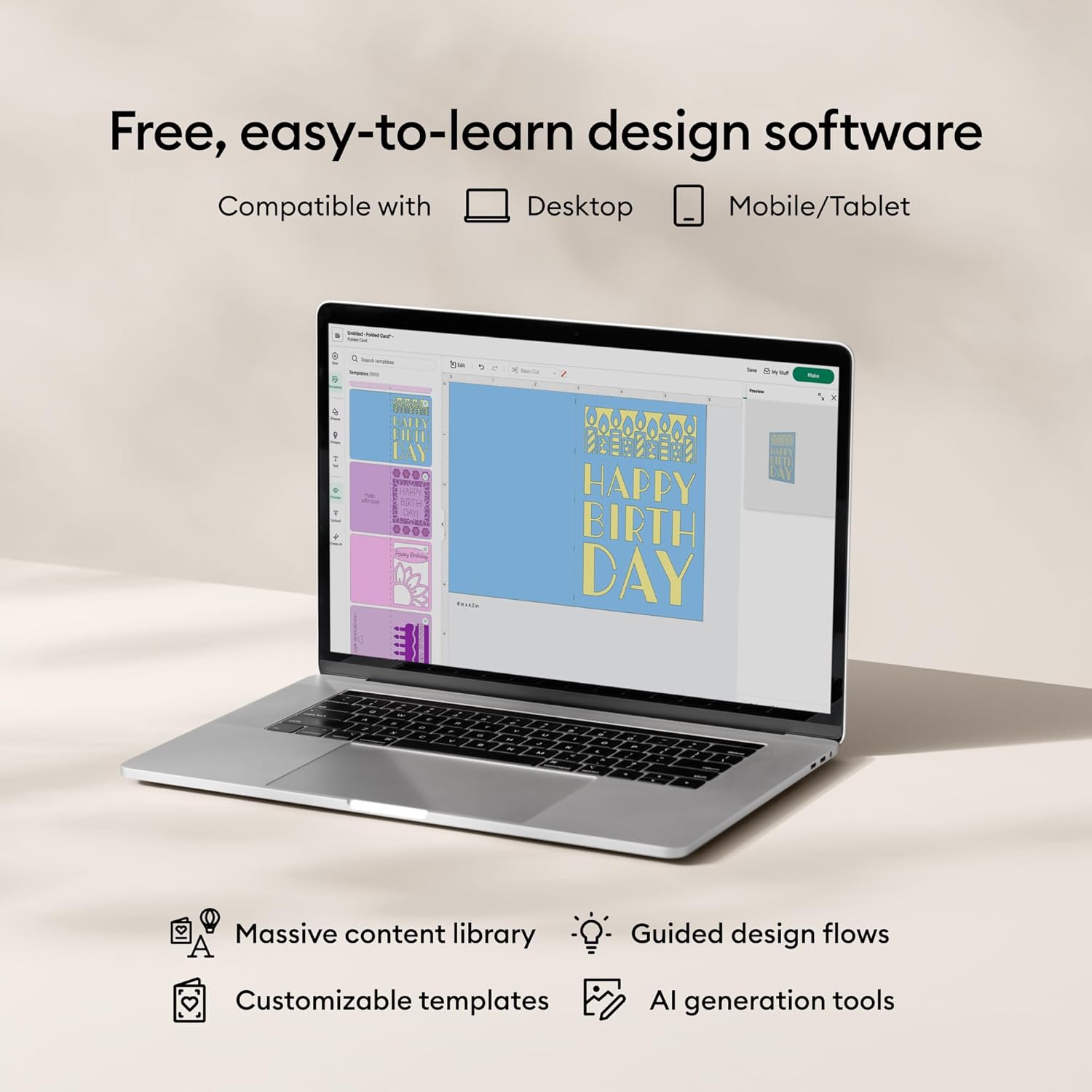
DESIGN APP WITH ENDLESS POSSIBILITIES – Use with Cricut Design Space, our free app to kickstart and customize your projects. Design Space assists you through selecting your materials and utilizing the right tools. (iOS, Android, Windows, and Mac)
EXTENSIVE CONTENT LIBRARY – Includes 50 free project templates once you register your machine. This product also comes with an additional 30 digital images to kickstart your projects. Subscribe to Cricut Access for unlimited use of 300,000 images, 7,000 ready-to-make projects, 700 fonts and so much more.
13 reviews for Cricut Explore 4 – Smart Cutting Machine (Seashell) | Engagement Bundle – Includes Smart Vinyl, Cardstock, Transfer Tape, Iron On HTV, Mat, Pens, Tool Kit, & 25 Images in Design Space App
Add a review

$36.99
zenjiedo_68 –
Quiet affordable efficiency
This will be my 3rd cricut product. The 1st was a cricut Air2. It was nice but somewhat slow and noisy but kept for backup. 2nd was a used Maker that was quiet and much more efficient. It could also make cuts on wood which was great but it burnt out. This is my 3rd machine. I got it because it could do alot of the things a Maker could do at a lower price point. I like it alot but I wish I had gotten a Maker. I feel it’s a higher caliber machine than the Air4 but I’m satisfied with its quality of cuts and noise level. It’s maiden project was 100 fairly intricate cuts for the cover of a program that was very successful. I don’t love the machine but I like it alot.
Andres L –
Excelente
Excelente producto, lo recomiendo
CJ Campbell –
Good purchase
Good value, disappointed that the cord to connect to laptop doesn’t work, but easily usable with Bluetooth from both iPhone and laptop. Design is great!
Aminath ifaaga –
POV
I have not get any time to test it yet. As i have just received it today .i love the color and the size as it does not require much space, i love how it was carefully packed without any damage done.
Small but cute –
Cricut
Bought this for my cake toppers and it’s been great it’s overwhelming at first but once you start messing with it you start learning. Connects with cable or Bluetooth I think it’s worth the price I love it
KrisSquared –
Fast but cheaper made than maker og
My maker (og) died and I decided to go with an explorer 4 as a replacement since I did not end up finding the etching or wood cutting skills of the maker worth keeping around. What I’ve experience so far with explorer 4:- it is faster (a lot faster)- it refused to sync with my bluetooth so I have to use usb connection- it is made of cheaper materials than my old makerWe’ll see how it holds up but the bluetooth thing annoys me.
Coni Morales –
Super buena maquina Cricut
Me ha encantado esta cricut realmente todas sus funciones son maravillosa
Hedy –
Happy Customer
My package arrived super early. I was so happy to find everything was exactly as I ordered. No missing items, which is always a win! Definitely a smooth and satisfying experience from start to finish. Highly recommend! 👍 #PackageDelivered #EarlyArrival #HappyCustomer
Krista Sampson –
Love it, works awesome!!
Liliana –
Me encantó, llegó en buen estado y está súper bonita, trae todo lo que dice. Un diez
Ochoas –
Super maquina, apoya mucho en las manualidades y ahorrar tiempo y trabajo. Llego rápido y en excelente condición.
Amazon Customer –
Brought back my creativity.Great price also 🫶🏻🫶🏻🫶🏻
Jade Legault-trudeau –
I’ve been having a hard time with connection (USB and Bluetooth) but it turns out it’s my PC. Every time, I call cricut customer service and I never have to wait very long. They are extremely good at troubleshooting and very clear in their communications. To me this is very important; machines can have issues but the real problem is when customer service is lacking. So aside from struggling with connection (which was in reality a problem with my computer), I absolutely love this machine.