
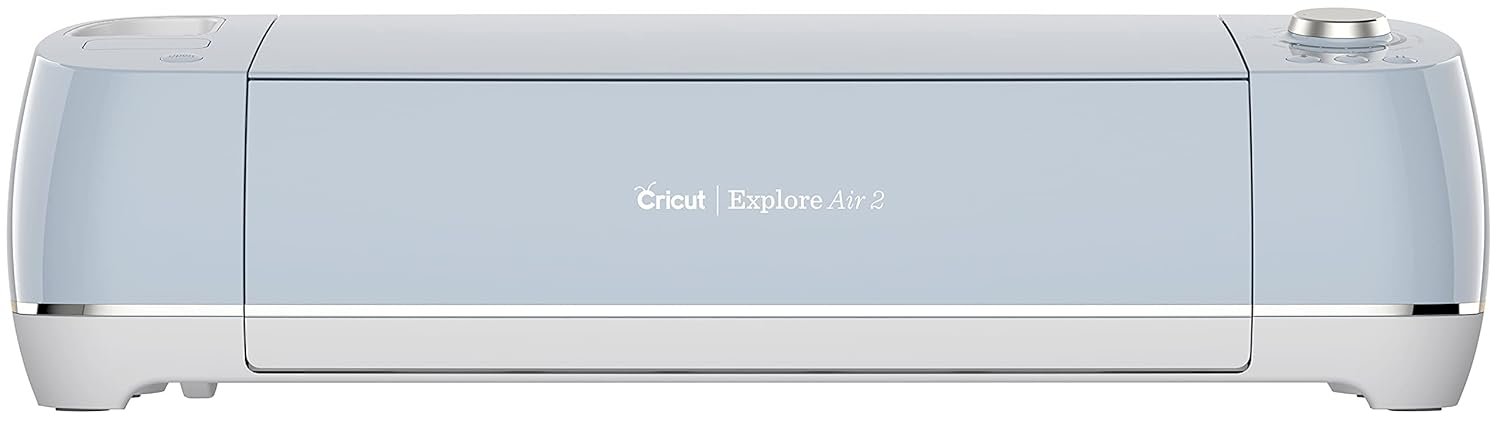
Cricut Explore Air 2 Machine, Blue
$368.72
Related Products


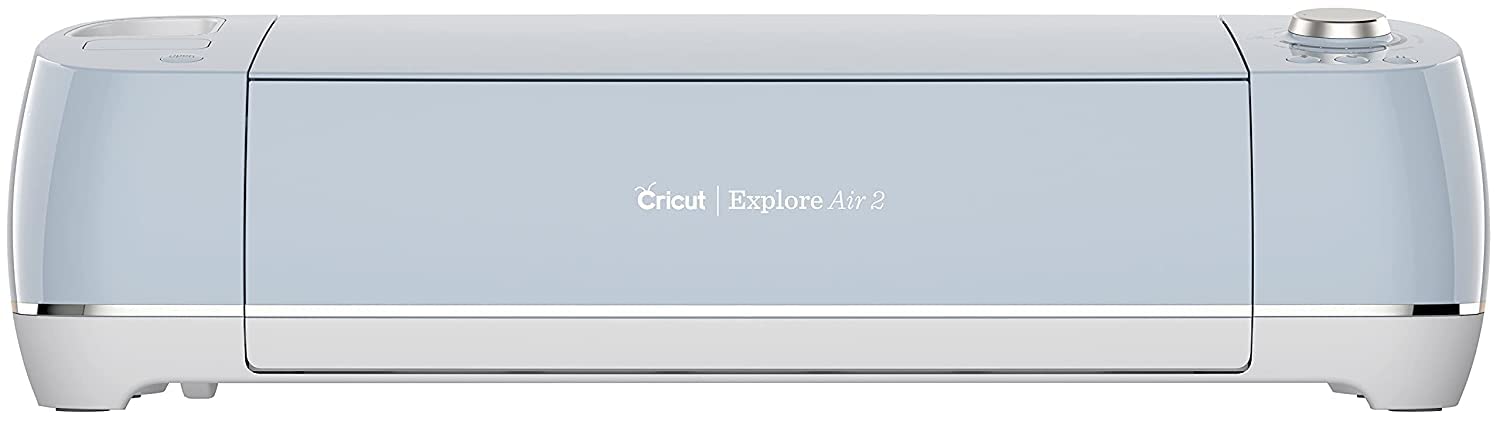


Customizing cards, creating iron-on stickers for T-shirts, designing wall decor for home or office and much more becomes easy with the uber cute Cricut Explore Air 2 cutting machine, with double the speed than its predecessor, that precisely cuts all craft materials with simplicity. With wireless Bluetooth connectivity and a cloud-based app that works on Windows, Mac, iOS and Android systems, get access to thousands of customizable designs and templates to ace the DIY game. Delve into majestic creativity with this cutting, writing and foiling magic creator that is compatible with 6 tools (sold separately) exploring around 100+ materials to uniquely present your crafting skills. The tools work in line with popular craft materials like cardstock, vinyl, and HTV iron-on to specialty materials like glitter paper, cork, and Infusible Ink Sublimation Sheets Highlighting your detailed writing tips, creating pro-level foil embellishments, and scoring an ace would now become simpler with additional tools like Scoring Stylus, Foil Transfer Tool and Deep-Point Blade. The kit includes Premium Fine-Point Blade with its housing, a fine point black pen, a light-grip machine mat, a welcome book, USB cable, power adapter, 50 ready-to-make projects and a free trial membership to Cricut Access for new subscribers.
Is Discontinued By Manufacturer : No
Product Dimensions : 6.99 x 21.18 x 5.93 inches; 10.68 Pounds
Item model number : 2006519
Department : Arts, Crafts & Sewing
Date First Available : September 3, 2019
Manufacturer : Provo Craft & Novelty
ASIN : B07WGB21KR
Best Sellers Rank: #192,402 in Arts, Crafts & Sewing (See Top 100 in Arts, Crafts & Sewing) #185 in Scrapbooking Die-Cut Machines
Customer Reviews: 4.8 4.8 out of 5 stars (34,139) var dpAcrHasRegisteredArcLinkClickAction; P.when(‘A’, ‘ready’).execute(function(A) { if (dpAcrHasRegisteredArcLinkClickAction !== true) { dpAcrHasRegisteredArcLinkClickAction = true; A.declarative( ‘acrLink-click-metrics’, ‘click’, { “allowLinkDefault”: true }, function (event) { if (window.ue) { ue.count(“acrLinkClickCount”, (ue.count(“acrLinkClickCount”) || 0) + 1); } } ); } }); P.when(‘A’, ‘cf’).execute(function(A) { A.declarative(‘acrStarsLink-click-metrics’, ‘click’, { “allowLinkDefault” : true }, function(event){ if(window.ue) { ue.count(“acrStarsLinkWithPopoverClickCount”, (ue.count(“acrStarsLinkWithPopoverClickCount”) || 0) + 1); } }); });
Cricut Explore Air Machine 2 Blue with adjustable cutting and writing speed up to 2x faster. Cut through a variety of materials from paper and iron-ons, to adhesive vinyl- even thick materials like felt, burlap and lightweight leather.
Smart Set dial adjusts to the material setting easily. This machine features built-in Bluetooth for wireless cutting, writing and cutting features, or cutting and scoring in one step.
Upload your own images (.svg, .jpg, .png, .bmp, .gif, .dxf) use Cricut Design Space online software with an iPad app, computer, tablet, or smartphone to create personalized, professional looking DIY craft projects. Works with Cricut cartridges. Prints printable images.
What’s included:Cricut Explore Air 2 machine – Built-in wireless Bluetooth- – Cricut Design Space software & app access – German carbide premium blade (already installed in machine) – USB cord and power cord – Accessory Adapter (already installed in machine) – 100+ free images and 50+ free project ideas (from Cricut’s website) – Getting started guide – Pen & cardstock sample – Cricut- 12 in. x 12 in. cutting mat

John L. Garza –
Best purchase I’ve ever made! The things you can make from home with this machine will save you time and money, and maybe more!
If you have any interest in arts and crafts, this is the machine for you! I’ve only had my machine for a few short days, but I’ve already made my first few projects and know that I’ll be making them with very little in the way of training. The first project is laid out with simple online instructions and took only a few minutes to complete. Once you see how easy it is to make that project, you’ll be amazed at just how impressive the results can be.More importantly, you’ll be given a tour of the entire process, from setting up the machine to installing the software with easy instructions and with video’s directly from YouTube. There is absolutely nothing difficult about taking this machine out and beginning to use it for whatever crafting projects you have in mind.I myself got the bug from having spent a few days watching a friend working from his shop where he creates all sorts of items that this machine creates with ease, from vinyl signs, Decals made from vinyl or Sticker paper, custom business cards or Birthday cards, anything you can come up with in a print shop can be made from your own home and at a fraction of the price of one made in a professional shop.Honestly, this machine can replace your needs for any local shop, unless the dimensions are your main concern, and even in most of those cases, you can still make your own vinyl signs and decals, you’ll simply have to limit the size to the available dimensions of the machine, or you’ll need to paste together larger pieces on your own. This simply means that instead of having a two foot tall logo that’s ten foot long, you would need to make one foot tall segments that can be two foot long each, and simply line them up to create your own sign. Most shops that advertise with vinyl signs don’t use letters larger than one square foot anyway, so you’d just be making each square as an individual letter and then line them up yourself, instead of stretching one long strip to make your sign. The work isn’t significantly different, so why pay multiples of the price of this machine for one sign, when you can buy the machine and make all the signs you want from that point forward?Then when you consider that this machine can work in tons of different materials, ranging from paper to vinyl, leather to copper, there really aren’t many limits to what you can make with this machine. With a little time and some minimal effort, you’ll be making arts and crafts projects that you can give to your friends and family, and sell at any yard sale or flea market within days of arriving at your house.The best part of all is that this machine is tiny. It’s footprint is so small that I have mine setup on a tiny table that was no longer needed in my living room. I simply placed a towel over the table to prevent it from being scratched, and I was set. I’m just now learning how to make more creative designs like custom boxes and bows, but with no time I’ll be making those with ease.My only advice is that if you decide to buy one of these amazing machines, make sure you get everything you’ll need to explore your own creativity. Make sure to buy all the add-ons, things like the deep cut blade, the paper crafting tools, the basic crafting tools and the scoring stylus and a set of the color pens for your own messages. From there, buy some quality paper card stock, Oracal 651 vinyl in all the best colors for simple designs or for more intricate designs, making sure to buy all the popular colors such as your primary colors, but also metallic colors such as gold or chrome, get lots of black and white as you’ll be using those the most, and without fail, but transfer tape, lots of transfer tape, because having yard after yard of vinyl will do you no good if you can’t actually place it on something, so transfer tape is equally important to your needs. Buy more transfer tape/paper than vinyl, because you’ll almost always need transfer tape that hangs over the edges of your vinyl cutouts so that you can layer different colors or have the vinyl decal hold in place so that you can align it to whatever your placing it on.Buy a good exacto blade knife, your going to be using it constantly if you decide vinyl crafting is for you. I’d recommend you purchase a good cutting device, whether that be a guillotine style cutter or rotary cutter, make sure you buy one large enough for your vinyl or paper needs, so it will need to be at least one foot wide and long enough to cut lengths of a foot accurately. Some of those cutters don’t come with a space long enough to cut squares of one foot so make sure you chose one with either an extension that will let you measure one square foot, or you’ll be guessing beyond the length of the cutting device itself, or you’ll need to mark the vinyl somehow and that will end up just eating up your time.From that point, you can decide if you need specialty materials, things like faux leather, copper foil that’s normally found in rolls but also comes in sheets for use with the scoring tool to make beautiful embossed pieces, heat transfer vinyl that comes in several glittery colors or regular colors for making iron on designs that can go on everything from pants or shirts, to caps or other clothing items. They offer magnetic sheets that you can use to make magnetic business cards or decals, printable sticker paper, heat transfer jewels (bedazzle style gemstones), or any other material you wouldn’t imagine needing but will find out once you’ve installed the software on your pc or phone, and are able to browse the online design shop.Whether your just an everyday tinkerer that needs something to fill your time, or you want to create your own small business out of your living room, this machine is well worth your time and money! Best of all, you don’t have to take my word for it, just go on YouTube and research Cricut projects and you’ll get a sampling of exactly what you’ll be able to make with this amazing machine!
Vicky and MC –
Crafting Made Simple: Explore the Magic of Cricut Today!
I bought Cricut to make goody bag gifts for my daughter’s birthday party. I planned to include shirts with characters and emojis on them, bags with the kids’ names, and water bottles in the goody bags. About 15 kids were invited to our house. If I had tried to do it by hand, it would have taken us a year to finish.Before making the kids’ clothes, I tried cutting a logo with thin lines for testing. As long as there are good-quality images, Cricut automatically traces the outlines, so we didn’t need to design anything ourselves.After setting the Cricut dial to Iron-On vinyl, I put the vinyl on a 12×12 adhesive mat and tested it. When I removed the unnecessary parts with a knife, only the mirrored parts remained. Now, when you put this vinyl on clothes and press it with an iron for a few minutes, it looks like genuine branded clothes you’d buy from a store.I tried cutting out the kids’ names to put on the bags, on the water bottles, and even on the laptop, and I was really satisfied with the quality. There’s no need to buy laptop stickers from the internet anymore.I can also make kids’ costumes for Halloween. With simple designs or ideas, you can create fun clothes. You can even cut paper to make decorations for cupcakes. If you have ideas, you can make anything.All of this is possible because:1. The Cricut software is really easy to use. With just a few clicks of the mouse, you can trace the outlines of any image.2. There are various materials like iron-on vinyl, adhesive vinyl, etc., so you can stick them on clothes, bags, plastic, metal, etc.For Cricut materials, there are some that come in 12×12, but if you don’t need various colors, I recommend buying them in rolls. It’s cheaper that way.
Ivan Cortez –
Es una excelente plotter, la uso para la personalización de gorras ya que ese es mi negocio, con esta plotter puedo poner nombres, apodos, frases, figuras, logos formas etc. La app para utilizarla es súper fácil de usar, intuitiva, tiene una infinidad de herramientas, también la he utilizado para personalizar playeras, mandiles, cajas de cartón, termos, vasos, tazas, todo con su respectivo material adecuado para cada trabajo.Respecto a la entrega, todo excelente, venía súper bien empacada, súper bonita su caja y todo en general.Si estás duda de comprarla, no lo dudes, de verdad es una maravillosa opción. Sigo encantado con mi plotter. 😊10/10.Si la quieres para negocio, te aseguro que se paga sola. 💸
Afnan –
بطيئه بعض الشيء وتحتاج خبره اكثر
Sunny Kapoor –
I loved the Cricut Maker, i received the package intact and packed very safely
Amazon Customer –
Love this machine has opened many new doors for my small business
jkspg –
難しい